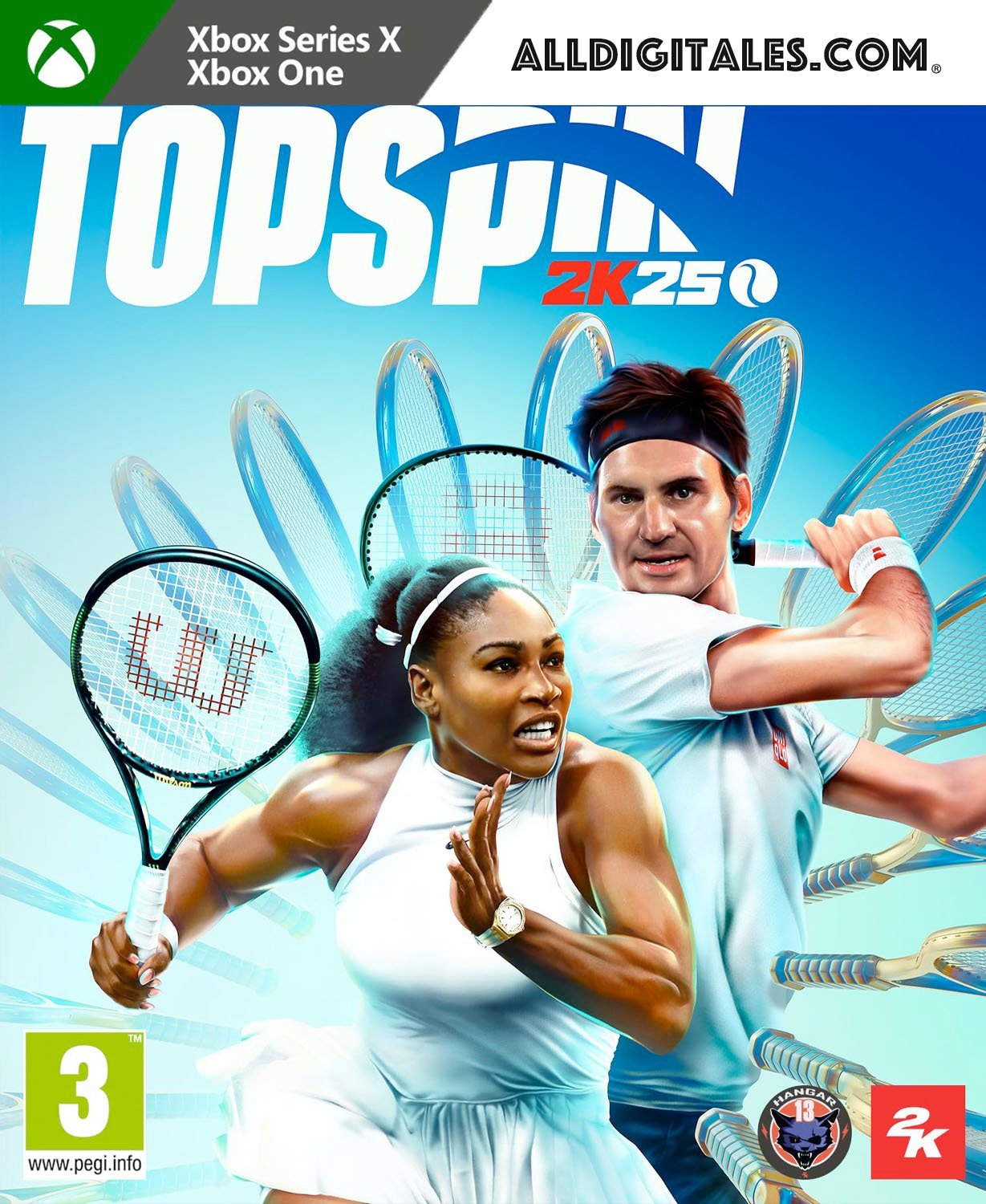
TopSpin 2K25 Xbox One & Series S/X

From 40,00

  • Juego en versión digital para Xbox One & Series.
  • It's not a code.
  • It's very simple: You will receive an email and password, you will add the profile on Xbox, once the game has been downloaded and installed, You can play from your personal profile.
  • Completely legal
  • Release Date: 26-04-2024
  • Fast Delivery within 24 hours of launch.

💡 Popular among gamers
💡 For a perfect setup: Make sure you choose your preferred account type. You'll receive access automatically and instantly.
Earn 20 points. This is equivalent to 1,33
🛡️ Lifetime warranty anti-padlock.
🛠️ Ongoing technical support including.
SKU N/A Category Tag
Disfruta del máximo nivel de competición del tenis profesional
Buys TopSpin 2K25 for Xbox, regresa a las pistas de tenis jugando con un elenco de los mejores profesionales en modos competitivos para un jugador y multijugador, los cuatro Grand Slams históricos, pistas icónicas y leyendas y estrellas emergentes del tenis. Esta edición incluye (solo en las primeras unidades, unidades limitadas):
  • Paquete Bajo las Luces con conjuntos alternativos de Serena Williams y Roger Federer, Paquete Ocaso de Wilson y Grandes Torneos Nocturnos.
Gana la trayectoria Grand Slam Viaja por el mundo como un prometedor profesional, enfréntate a los nombres más importantes del tenis y toma la pista central de Wimbledon, Roland-Garros, el Abierto de EE. UU. y el Abierto de Australia en tu lucha por convertirte en Campeón del Grand Slam en MyCAREER. Compite en pistas icónicas Visita algunas de las pistas más vibrantes del circuito de tenis en TopSpin 2K25. Desde los cuatro torneos del Grand Slam® hasta escenarios internacionales como Indian Wells, La Caja Mágica, Pala Alpitour, Foro Itálico y muchos más. Leyendas del tenis y estrellas emergentes Juega como las leyendas del tenis Roger Federer y Serena Williams, o consigue grandes éxitos como Carlos Alcaraz, Iga Swiatek, Frances Tiafoe, Andre Agassi y otros. Elige entre más de 25 profesionales con los que podrás jugar y da rienda suelta a su explosiva potencia y a su astuta delicadeza jugando contra otros jugadores de forma local u online. Domina la pista online Pon a prueba el temple de tu MyPLAYER y demuestra tu destreza tenística en el World Tour o entra en el 2K Tour como profesional y desafía a jugadores de todo el mundo con la compatibilidad de juego cruzado. Entrena con John MCenroe Aprende a jugar como una leyenda con John McEnroe en la TopSpin Academy, desde servicios potentes hasta magníficas dejadas. Domina los controles avanzados a medida que progresas a través de una serie de pruebas de perfeccionamiento y desafíos para obtener una ventaja en cada superficie. Personaliza tu MyPLAYER ¡Crea un MyPLAYER adaptado a tu estilo de juego y define tu aspecto en la cancha! Con una amplia gama de opciones de personalización, puedes afinar tus atributos y ganar nuevos entrenadores, accesorios y equipaciones de adidas, HEAD, Lacoste, New Balance, Nike, Wilson y muchos más.

🟦 PLAYSTATION 5 INSTALLATION GUIDES
➔ Main Account Tutorial (Play from your profile) +
  1. Add a new user to your console (Add user > Get started). Log in manually with the received data.
  2. If it asks for a verification code (2FA), request it in our chat. tawk.to or Telegram.
  3. ⚠️ VERY IMPORTANT: When the system asks you about "Console Sharing and Offline Game Sharing", select ENABLE. (If it doesn't ask you, enable it yourself in Settings > Users and Accounts > Other).
  4. Go to the Games Library, start the game download, log out, and Go back to YOUR personal profile to play for life.
➔ Secondary Account Tutorial (Play from the provided profile) +
  1. Add a new user to your console (Add user > Get started) and log in with the email and password provided.
  2. ⚠️ VERY IMPORTANT: When the system asks you about "Console Sharing and Offline Game Sharing," select DO NOT ENABLE or DEACTIVATE. The account must remain as secondary.
  3. Go to the Game Library and start downloading the purchased game.
  4. To play: You must always log in to this new profile and have an internet connection. You will play and accumulate your trophies and saved games within this exclusive profile.
🟩 XBOX SERIES X/S INSTALLATION GUIDES
➔ Main Account Tutorial (Play from your profile) +
  1. Press the Xbox button on the controller, go to the tab on the right and select Add new. Enter the assigned data.
  2. In the login security settings, select the option «"Without barriers"».
  3. ⚠️ VERY IMPORTANT: Go to Settings > General > Personalization > My Home Xbox and select "Make this my home Xbox".
  4. Start downloading the game from your library, log out of your account, and Open your usual profile to start playing.
➔ Secondary Account Tutorial (Gameplay Method) +
  1. Press the Xbox button on the controller, go to the right, and click on Add new to enter the data we sent you.
  2. In the profile security settings, select the option «"Without barriers"».
  3. ⚠️ VERY IMPORTANT: Make sure this account is NOT active as your primary Xbox (Settings > General > Personalization > My primary Xbox).
  4. Download the game completely. **To play:** Log in with the game account we gave you, and without logging out, switch to your usual personal account. You can now play and save your progress as normal.
🟥 NINTENDO SWITCH INSTALLATION GUIDES
➔ Main Account Tutorial (Play offline and from your profile) +
  1. Go to Console Settings > User Profile > Register a User > Create a New User and link the Nintendo account we sent you.
  2. Log in to the Nintendo eShop using this newly created user account. Tap your avatar in the upper right corner, then go to Download again and click on the game cloud.
  3. Once the installation is complete, go to your Switch's main menu and open the game by selecting **YOUR personal user**. You don't need internet access to play.
  4. ⚠️ NOTE: Never delete the newly created user from the console; it is the one that validates the user license.
➔ Secondary Account Tutorial (Play online from the new profile) +
  1. Go to Console Settings > User Profile > Register a user and link the received data.
  2. Access the Nintendo eShop by selecting the game user. Click on the avatar in the upper right corner, then go to the section for Download again and download your title.
  3. ⚠️ USAGE REQUIREMENTS: To start and play this video game, you must always select the NEW profile provided and have the console permanently connected to the internet for license verification.