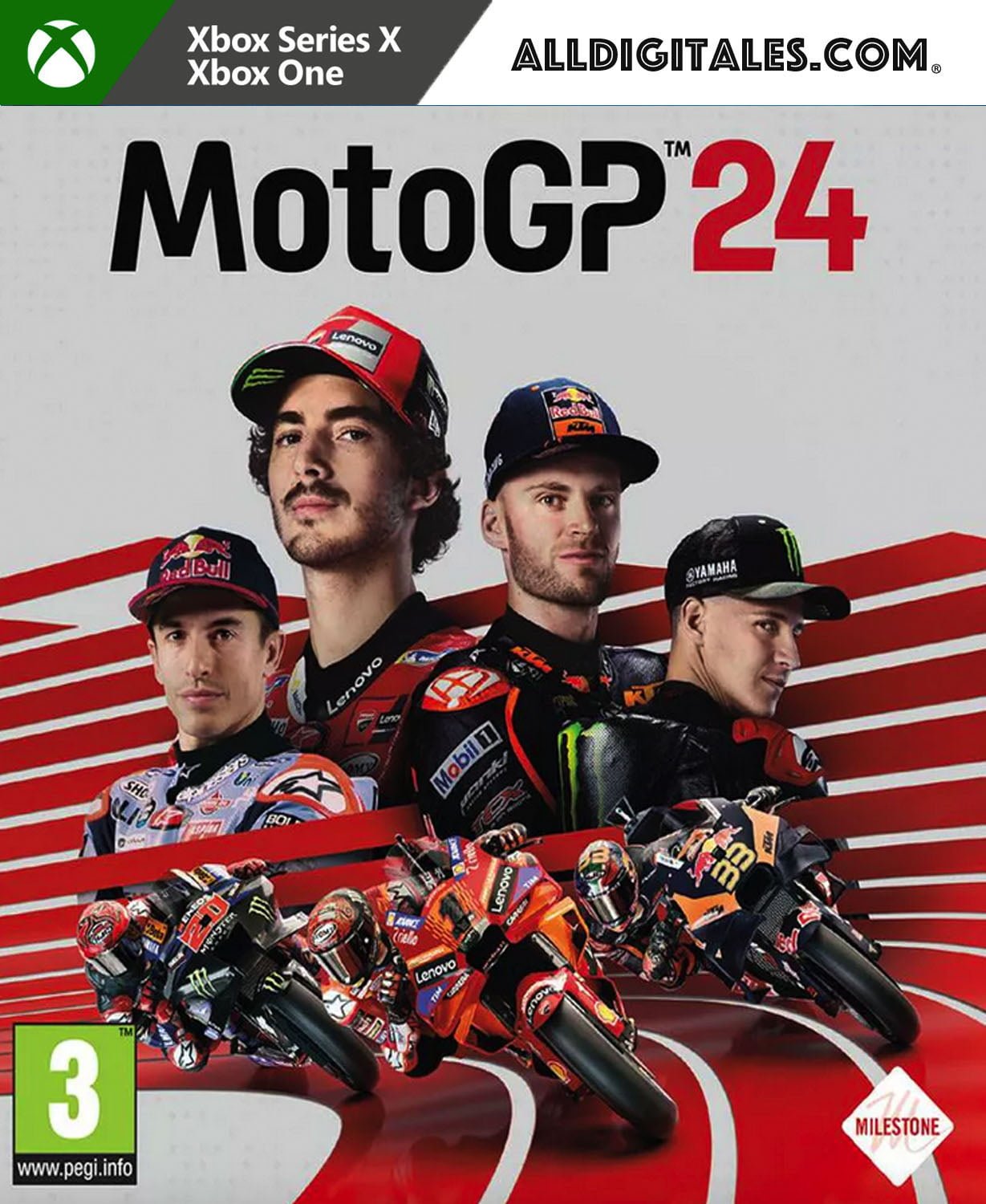
MotoGP 24 Xbox One & Series S/X

From 38,00

  • Digital version of the game for Xbox One & Series.
  • It's not a code.
  • It's very simple: You will receive an email and password, you will add the profile on Xbox, once the game has been downloaded and installed, You can play from your personal profile.
  • Completely legal
  • Release Date: 26-04-2024
  • Fast Delivery within 24 hours of launch.

💡 Popular among gamers
💡 For a perfect setup: Make sure you choose your preferred account type. You'll receive access automatically and instantly.
Earn 19 points. This is equivalent to 1,27
🛡️ Lifetime warranty anti-padlock.
🛠️ Ongoing technical support including.
SKU N/A Category Tag
Get on your bike, race on the tracks and become a champion
Buys MotoGP 24 Day One Edition for Xbox, he Official Championship 2024 in the palm of your hand with New features, fierce rivalries, and online competitions to win, as well as enjoy the official content of the latest MotoGP season. This edition includes:
  • Stickers for Nolan's helmet: 4 special stickers for the Nolan X-804 RS Ultra carbon, available in Career, Quick Modes and Online.
  • Training suits: all the MotoGP riders' suits during winter testing.
Racing and driver market Real-life racers face tough decisions both on and off the track. Manage your relationships with other MotoGP riders through the game's social network. Friends and rivals will challenge you in different ways on the track. Face turning points and accept the challenge. Overcoming them will boost your MotoGP career. Enjoy the new pilot market and shapes the most dynamic career in history. Each season of the game will bring roster updates, each with new scenarios to experience. If you're looking for new challenges, join a new team and race to victory. How far are you willing to go for fame and glory? A game for everyone Whether you're a seasoned player or just starting out, MotoGP 24 knows how to make your experience exciting. Let the adaptive difficulty system adjust the AI opponent level Based on your performance during races and qualifying sessions. Complete specific challenges in the MotoGP Academy And hone your riding skills with tutorials. For extra assistance, activate the neural aid system to help you with steering, braking, and acceleration. New features for players with disabilities, such as reduced game speed, different color palettes for colorblind players, and one-handed controls, will make MotoGP 24 a game for everyone. MotoGP STEWARDS Did your AI opponent cross the line and not play fair? Race Direction will penalize everyone equally, without distinction between human players and AI-controlled opponents. Both races and qualifying sessions are monitored to ensure a fair racing experience for all. Starting with simple warnings, this feature will apply penalties such as returning to the previous position, completing long laps, or imposing time penalties, all depending on what happened on the track. Racing is also a matter of style Your style isn't just reflected in the way you drive; it also shines through in the look you choose for your rider. Unleash your creativity with our powerful graphics editors, which will allow you to express your unique look as you conquer the track. Create your custom race number, rear patch, stickers, and helmet livery. Share your creations Enjoy seamless play across all platforms with cross-play functionality starting on day 1 and download your favorite content*. New movies, cross-play and split screen** Compete in LiveGP championships, push beyond your limits, and challenge everyone to prove you're the best. During these monthly online championships, you'll accumulate points to climb dedicated leaderboards. Will you be at the top at the end of each month? It's up to you. Find the best opponents from around the world thanks to the cross-platform play feature***. Invite some friends and challenge them to a split-screen race to determine who is the ultimate champion. * PlayStation and Xbox only ** Online not available on Nintendo Switch *** Cross-play available between PlayStation and Xbox consoles, not available on PC and Nintendo Switch versions

🟦 PLAYSTATION 5 INSTALLATION GUIDES
➔ Main Account Tutorial (Play from your profile) +
  1. Add a new user to your console (Add user > Get started). Log in manually with the received data.
  2. If it asks for a verification code (2FA), request it in our chat. tawk.to or Telegram.
  3. ⚠️ VERY IMPORTANT: When the system asks you about "Console Sharing and Offline Game Sharing", select ENABLE. (If it doesn't ask you, enable it yourself in Settings > Users and Accounts > Other).
  4. Go to the Games Library, start the game download, log out, and Go back to YOUR personal profile to play for life.
➔ Secondary Account Tutorial (Play from the provided profile) +
  1. Add a new user to your console (Add user > Get started) and log in with the email and password provided.
  2. ⚠️ VERY IMPORTANT: When the system asks you about "Console Sharing and Offline Game Sharing," select DO NOT ENABLE or DEACTIVATE. The account must remain as secondary.
  3. Go to the Game Library and start downloading the purchased game.
  4. To play: You must always log in to this new profile and have an internet connection. You will play and accumulate your trophies and saved games within this exclusive profile.
🟩 XBOX SERIES X/S INSTALLATION GUIDES
➔ Main Account Tutorial (Play from your profile) +
  1. Press the Xbox button on the controller, go to the tab on the right and select Add new. Enter the assigned data.
  2. In the login security settings, select the option «"Without barriers"».
  3. ⚠️ VERY IMPORTANT: Go to Settings > General > Personalization > My Home Xbox and select "Make this my home Xbox".
  4. Start downloading the game from your library, log out of your account, and Open your usual profile to start playing.
➔ Secondary Account Tutorial (Gameplay Method) +
  1. Press the Xbox button on the controller, go to the right, and click on Add new to enter the data we sent you.
  2. In the profile security settings, select the option «"Without barriers"».
  3. ⚠️ VERY IMPORTANT: Make sure this account is NOT active as your primary Xbox (Settings > General > Personalization > My primary Xbox).
  4. Download the game completely. **To play:** Log in with the game account we gave you, and without logging out, switch to your usual personal account. You can now play and save your progress as normal.
🟥 NINTENDO SWITCH INSTALLATION GUIDES
➔ Main Account Tutorial (Play offline and from your profile) +
  1. Go to Console Settings > User Profile > Register a User > Create a New User and link the Nintendo account we sent you.
  2. Log in to the Nintendo eShop using this newly created user account. Tap your avatar in the upper right corner, then go to Download again and click on the game cloud.
  3. Once the installation is complete, go to your Switch's main menu and open the game by selecting **YOUR personal user**. You don't need internet access to play.
  4. ⚠️ NOTE: Never delete the newly created user from the console; it is the one that validates the user license.
➔ Secondary Account Tutorial (Play online from the new profile) +
  1. Go to Console Settings > User Profile > Register a user and link the received data.
  2. Access the Nintendo eShop by selecting the game user. Click on the avatar in the upper right corner, then go to the section for Download again and download your title.
  3. ⚠️ USAGE REQUIREMENTS: To start and play this video game, you must always select the NEW profile provided and have the console permanently connected to the internet for license verification.