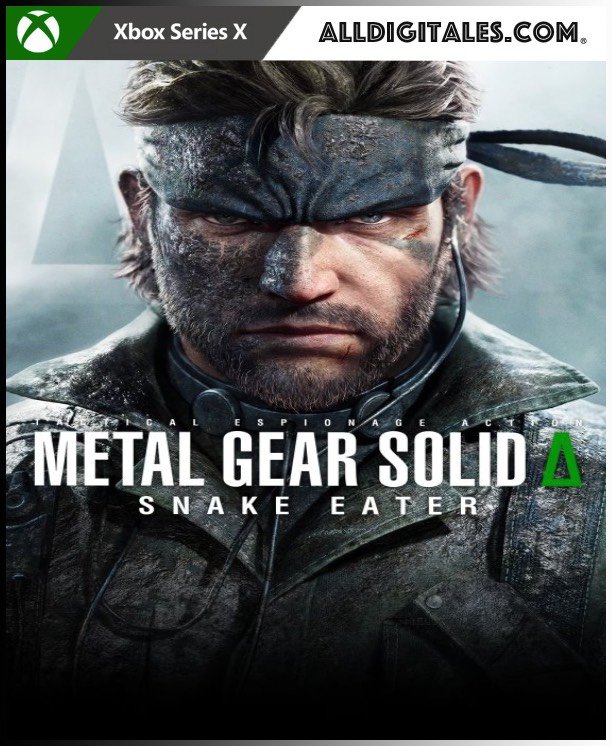
Metal Gear Solid Delta: Snake Eater XBOX SERIES X|S

From 42,00

  • Easy setup: You'll receive an email and password and add a new account to Xbox Series X|S.
  • Completely legal.
  • Voice: Multi
  • Screen languages: Multi
  • Size: ?GB.
  • Optional in-game purchases
  • Release Date: 28-08-2025
  • Completely legal
  • Fast delivery within 24 hours.

Recommended
💡 For a perfect setup: Make sure you choose your preferred account type. You'll receive access automatically and instantly.
Earn 21 points. This is equivalent to 1,40
🛡️ Lifetime warranty anti-padlock.
🛠️ Ongoing technical support including.
SKU N/A Category Tag
Descubre la verdadera historia del agente militar Snake
Buys Metal Gear Solid Delta: Snake Eater Day One Edition para la consola PS5, a juego de acción y sigilo que descubre la historia tras el origen del emblemático agente militar Snake y empieza a desvelar la trama de la legendaria serie METAL GEAR. Metal gear Solid Delta combina sonidos, acción sigilosa inmersiva y gráficos nunca vistos con una trama fascinante que permitirá a los jugadores volver al mundo de METAL GEAR. Las naciones rivales están creando en secreto armas que podrían poner en peligro el futuro de la humanidad. En lo profundo de la selva, un soldado de élite debe combinar sus capacidades de sigilo y supervivencia para infiltrarse en territorio enemigo y detener un arma de destrucción masiva para evitar que se desate la mayor guerra total jamás vista. Era: Los años 60, batalla de ideologías Revive la historia a medida que cambian la Guerra Fría y el paisaje geopolítico. Juego: Superviviencia, Batalla de instintos Supera a tus enemigos con camuflaje, combate cuerpo a cuerpo, acecho, interrogatorios, escalada, caza y tratamiento de heridas. Ambiente: La Selva, batalla de reptiles Enfréntate a un entorno en el que puedes usar trampas para cazar a tus enemigos y presas, las amenazas se esconden en las sombras y los ruidos alertan a los depredadores. Idiomas: Voces: Inglés, japonés Subtítulos: Castellano, inglés, francés, italiano, alemán, portugués brasileño, polaco, japonés, chino simplificado, chino tradicional, y coreano.

🟦 PLAYSTATION 5 INSTALLATION GUIDES
➔ Main Account Tutorial (Play from your profile) +
  1. Add a new user to your console (Add user > Get started). Log in manually with the received data.
  2. If it asks for a verification code (2FA), request it in our chat. tawk.to or Telegram.
  3. ⚠️ VERY IMPORTANT: When the system asks you about "Console Sharing and Offline Game Sharing", select ENABLE. (If it doesn't ask you, enable it yourself in Settings > Users and Accounts > Other).
  4. Go to the Games Library, start the game download, log out, and Go back to YOUR personal profile to play for life.
➔ Secondary Account Tutorial (Play from the provided profile) +
  1. Add a new user to your console (Add user > Get started) and log in with the email and password provided.
  2. ⚠️ VERY IMPORTANT: When the system asks you about "Console Sharing and Offline Game Sharing," select DO NOT ENABLE or DEACTIVATE. The account must remain as secondary.
  3. Go to the Game Library and start downloading the purchased game.
  4. To play: You must always log in to this new profile and have an internet connection. You will play and accumulate your trophies and saved games within this exclusive profile.
🟩 XBOX SERIES X/S INSTALLATION GUIDES
➔ Main Account Tutorial (Play from your profile) +
  1. Press the Xbox button on the controller, go to the tab on the right and select Add new. Enter the assigned data.
  2. In the login security settings, select the option «"Without barriers"».
  3. ⚠️ VERY IMPORTANT: Go to Settings > General > Personalization > My Home Xbox and select "Make this my home Xbox".
  4. Start downloading the game from your library, log out of your account, and Open your usual profile to start playing.
➔ Secondary Account Tutorial (Gameplay Method) +
  1. Press the Xbox button on the controller, go to the right, and click on Add new to enter the data we sent you.
  2. In the profile security settings, select the option «"Without barriers"».
  3. ⚠️ VERY IMPORTANT: Make sure this account is NOT active as your primary Xbox (Settings > General > Personalization > My primary Xbox).
  4. Download the game completely. **To play:** Log in with the game account we gave you, and without logging out, switch to your usual personal account. You can now play and save your progress as normal.
🟥 NINTENDO SWITCH INSTALLATION GUIDES
➔ Main Account Tutorial (Play offline and from your profile) +
  1. Go to Console Settings > User Profile > Register a User > Create a New User and link the Nintendo account we sent you.
  2. Log in to the Nintendo eShop using this newly created user account. Tap your avatar in the upper right corner, then go to Download again and click on the game cloud.
  3. Once the installation is complete, go to your Switch's main menu and open the game by selecting **YOUR personal user**. You don't need internet access to play.
  4. ⚠️ NOTE: Never delete the newly created user from the console; it is the one that validates the user license.
➔ Secondary Account Tutorial (Play online from the new profile) +
  1. Go to Console Settings > User Profile > Register a user and link the received data.
  2. Access the Nintendo eShop by selecting the game user. Click on the avatar in the upper right corner, then go to the section for Download again and download your title.
  3. ⚠️ USAGE REQUIREMENTS: To start and play this video game, you must always select the NEW profile provided and have the console permanently connected to the internet for license verification.