

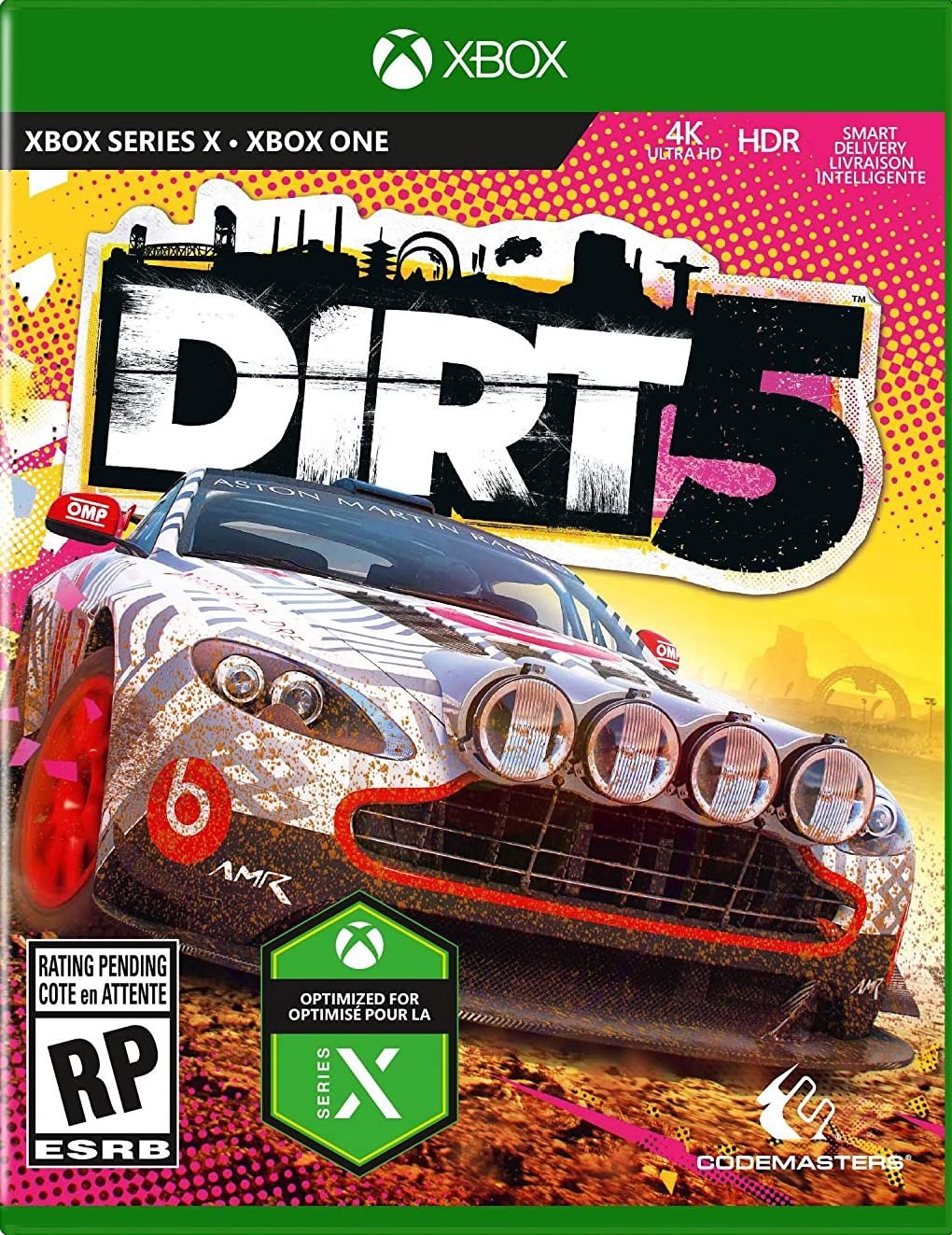

DIRT 5 XBOX ONE

33,00

  • Digital version of the game for Xbox One.
  • It's not a code.
  • It's very simple: You will receive an email and password, you will add the profile on Xbox, once the game has been downloaded and installed, You can play from your personal profile.
  • Completely legal

8 in stock

Earn 17 points. This is equivalent to 1,13
🛡️ Lifetime warranty anti-padlock.
🛠️ Ongoing technical support including.
Category

«"DIRT 5 is the most ambitious title to date in Codemasters' legendary off-road franchise. With new features and exhilarating action, DIRT 5 delivers epic races and unbridled style at its finest. Master over 70 routes across 10 locations around the world. Conquer changing weather conditions and overcome terrain hazards in every corner of the globe, from ice races in New York to Italian marble quarries and the favelas of Brazil. Experience spectacular moments with an impressive selection of cars: from classic rally icons and competition trucks to 900hp sprint cars. Achieve stardom in a story-driven Career mode narrated by renowned broadcasters Troy Baker and Nolan North. Prove your worth, convince sponsors, and defeat a fierce rival in the evocative world of off-road racing." Eight types of events to enjoy, including wild stampedes across the most extreme surfaces, twisty and jump-filled circuits in Land Rush, point-to-point drag races, and the return of Gymkhana stages. Have fun online with events designed for action-packed races, or experience something different with objective-based modes that will test your driving skills. A photo mode lets you capture your best moments, a distinctive livery editor offers almost limitless options, and more features will encourage you to play and create.»
🟦 PLAYSTATION 5 INSTALLATION GUIDES
➔ Main Account Tutorial (Play from your profile) +
  1. Add a new user to your console (Add user > Get started). Log in manually with the received data.
  2. If it asks for a verification code (2FA), request it in our chat. tawk.to or Telegram.
  3. ⚠️ VERY IMPORTANT: When the system asks you about "Console Sharing and Offline Game Sharing", select ENABLE. (If it doesn't ask you, enable it yourself in Settings > Users and Accounts > Other).
  4. Go to the Games Library, start the game download, log out, and Go back to YOUR personal profile to play for life.
➔ Secondary Account Tutorial (Play from the provided profile) +
  1. Add a new user to your console (Add user > Get started) and log in with the email and password provided.
  2. ⚠️ VERY IMPORTANT: When the system asks you about "Console Sharing and Offline Game Sharing," select DO NOT ENABLE or DEACTIVATE. The account must remain as secondary.
  3. Go to the Game Library and start downloading the purchased game.
  4. To play: You must always log in to this new profile and have an internet connection. You will play and accumulate your trophies and saved games within this exclusive profile.
🟩 XBOX SERIES X/S INSTALLATION GUIDES
➔ Main Account Tutorial (Play from your profile) +
  1. Press the Xbox button on the controller, go to the tab on the right and select Add new. Enter the assigned data.
  2. In the login security settings, select the option «"Without barriers"».
  3. ⚠️ VERY IMPORTANT: Go to Settings > General > Personalization > My Home Xbox and select "Make this my home Xbox".
  4. Start downloading the game from your library, log out of your account, and Open your usual profile to start playing.
➔ Secondary Account Tutorial (Gameplay Method) +
  1. Press the Xbox button on the controller, go to the right, and click on Add new to enter the data we sent you.
  2. In the profile security settings, select the option «"Without barriers"».
  3. ⚠️ VERY IMPORTANT: Make sure this account is NOT active as your primary Xbox (Settings > General > Personalization > My primary Xbox).
  4. Download the game completely. **To play:** Log in with the game account we gave you, and without logging out, switch to your usual personal account. You can now play and save your progress as normal.
🟥 NINTENDO SWITCH INSTALLATION GUIDES
➔ Main Account Tutorial (Play offline and from your profile) +
  1. Go to Console Settings > User Profile > Register a User > Create a New User and link the Nintendo account we sent you.
  2. Log in to the Nintendo eShop using this newly created user account. Tap your avatar in the upper right corner, then go to Download again and click on the game cloud.
  3. Once the installation is complete, go to your Switch's main menu and open the game by selecting **YOUR personal user**. You don't need internet access to play.
  4. ⚠️ NOTE: Never delete the newly created user from the console; it is the one that validates the user license.
➔ Secondary Account Tutorial (Play online from the new profile) +
  1. Go to Console Settings > User Profile > Register a user and link the received data.
  2. Access the Nintendo eShop by selecting the game user. Click on the avatar in the upper right corner, then go to the section for Download again and download your title.
  3. ⚠️ USAGE REQUIREMENTS: To start and play this video game, you must always select the NEW profile provided and have the console permanently connected to the internet for license verification.