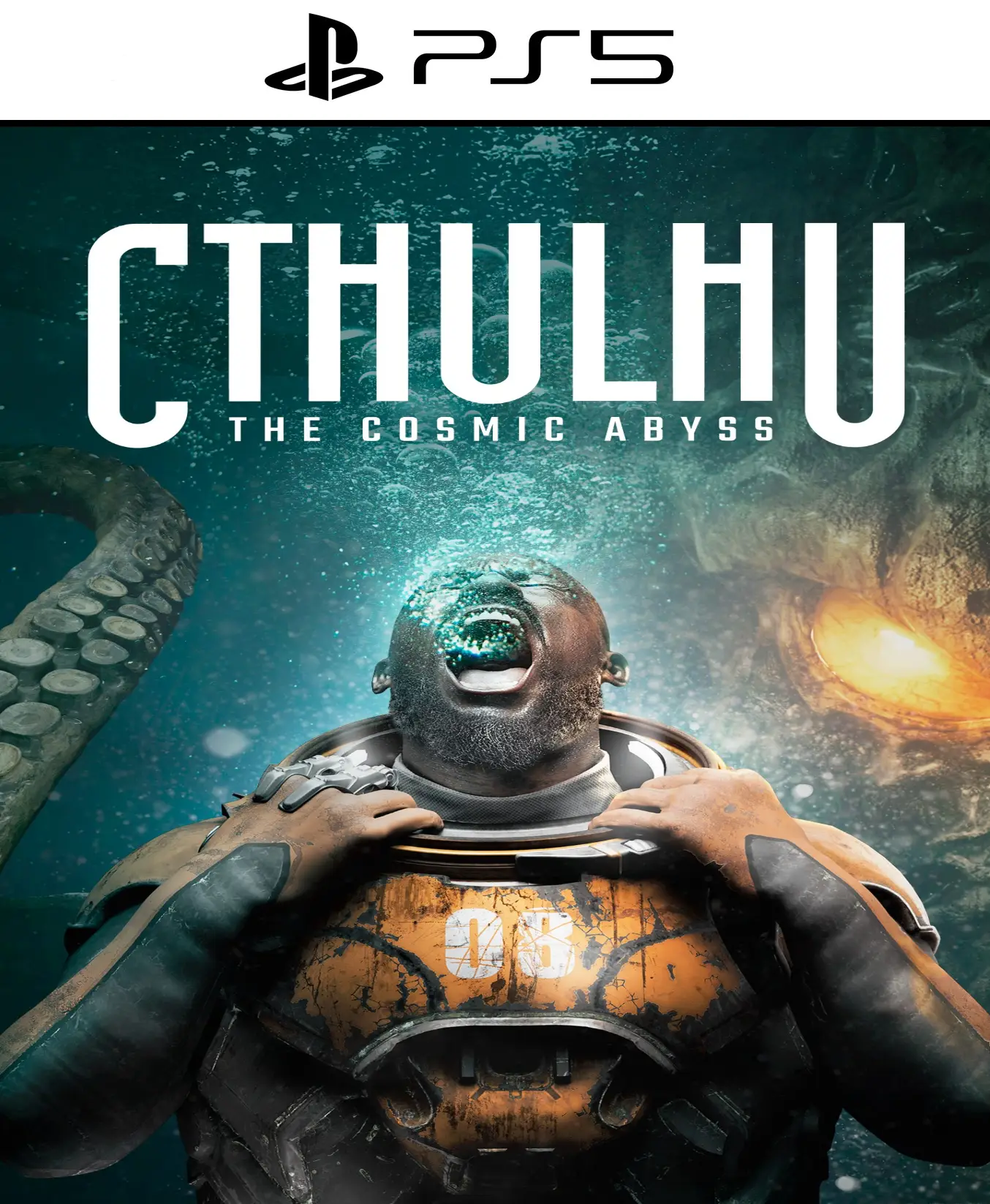
Cthulhu: The Cosmic Abyss PS5

From 22,00

Desciende a la locura en 4K. Enfréntate a los horrores primigenios en Cthulhu: The Cosmic Abyss PS5 para PlayStation 5. Una experiencia de terror psicológico con tiempos de carga ultrarrápidos y una atmósfera opresiva que aprovecha al máximo la tecnología háptica del DualSense. ¿Podrás sobrevivir al despertar de los Antiguos?

Recommended
💡 For a perfect setup: Make sure you choose your preferred account type. You'll receive access automatically and instantly.
Earn 16 points. This is equivalent to 1,07
🛡️ Lifetime warranty anti-padlock.
🛠️ Ongoing technical support including.
SKU N/A Category Tags , ,

Explora el terror cósmico en Cthulhu: The Cosmic Abyss para PS5

Sumérgete en la interpretación definitiva de los mitos de H.P. Lovecraft con Cthulhu: The Cosmic Abyss. Diseñado exclusivamente para aprovechar la potencia de la PS5, este título redefine el género de terror y supervivencia con una narrativa ramificada donde cada decisión afecta tu nivel de cordura.

  • Platform: PlayStation 5

  • Release date: 16 de abril de 2026

  • Editor: NACON SA

  • Gender: Terror Cósmico / Supervivencia

Características Principales:

  • Total Immersion with DualSense: Siente el latido del corazón de tu personaje y la resistencia de los gatillos al intentar escapar de las garras de lo desconocido.

  • Gráficos de Nueva Generación: Sombras dinámicas y trazado de rayos (Ray Tracing) que dan vida a las ciudades sumergidas y dimensiones fracturadas.

  • Tempest 3D Audio: Identifica de dónde vienen los susurros en la oscuridad con una precisión sonora absoluta.

  • Gestión de la Cordura: Un sistema complejo donde la percepción del entorno cambia según tu salud mental, desbloqueando rutas secretas o pesadillas visuales.

¿Por qué comprar Cthulhu: The Cosmic Abyss PS5?

Si eres fan de juegos como Bloodborne o The Call of Cthulhu, esta entrega ofrece una escala técnica nunca antes vista. No es solo un juego de acción, es un descenso cinematográfico al abismo que pone a prueba tus nervios y tu intelecto.


💳 Buy 100% legally and securely

Consigue tu código para Cthulhu: The Cosmic Abyss PS5 de forma inmediata y segura. Garantizamos una activación sin errores regionales y soporte técnico dedicado para que tu experiencia sea perfecta.

⚡ Immediate Delivery

Compra ahora y recibe el acceso a Cthulhu: The Cosmic Abyss PS5 directamente en tu correo. No esperes más para descubrir la verdad tras el reencuentro más esperado de los videojuegos.

🔥 Take the picture, rewind time, and accept the consequences. En Cthulhu: The Cosmic Abyss PS5, el destino está en tus manos. ¿Qué sacrificarás esta vez?

📖 Lee nuestro análisis completo de Cthulhu: The Cosmic Abyss PS5 here.

🎮 Find the best deals at PlayStation and choose alldigitales For your most affordable digital games. ✅


🟦 PLAYSTATION 5 INSTALLATION GUIDES
➔ Main Account Tutorial (Play from your profile) +
  1. Add a new user to your console (Add user > Get started). Log in manually with the received data.
  2. If it asks for a verification code (2FA), request it in our chat. tawk.to or Telegram.
  3. ⚠️ VERY IMPORTANT: When the system asks you about "Console Sharing and Offline Game Sharing", select ENABLE. (If it doesn't ask you, enable it yourself in Settings > Users and Accounts > Other).
  4. Go to the Games Library, start the game download, log out, and Go back to YOUR personal profile to play for life.
➔ Secondary Account Tutorial (Play from the provided profile) +
  1. Add a new user to your console (Add user > Get started) and log in with the email and password provided.
  2. ⚠️ VERY IMPORTANT: When the system asks you about "Console Sharing and Offline Game Sharing," select DO NOT ENABLE or DEACTIVATE. The account must remain as secondary.
  3. Go to the Game Library and start downloading the purchased game.
  4. To play: You must always log in to this new profile and have an internet connection. You will play and accumulate your trophies and saved games within this exclusive profile.
🟩 XBOX SERIES X/S INSTALLATION GUIDES
➔ Main Account Tutorial (Play from your profile) +
  1. Press the Xbox button on the controller, go to the tab on the right and select Add new. Enter the assigned data.
  2. In the login security settings, select the option «"Without barriers"».
  3. ⚠️ VERY IMPORTANT: Go to Settings > General > Personalization > My Home Xbox and select "Make this my home Xbox".
  4. Start downloading the game from your library, log out of your account, and Open your usual profile to start playing.
➔ Secondary Account Tutorial (Gameplay Method) +
  1. Press the Xbox button on the controller, go to the right, and click on Add new to enter the data we sent you.
  2. In the profile security settings, select the option «"Without barriers"».
  3. ⚠️ VERY IMPORTANT: Make sure this account is NOT active as your primary Xbox (Settings > General > Personalization > My primary Xbox).
  4. Download the game completely. **To play:** Log in with the game account we gave you, and without logging out, switch to your usual personal account. You can now play and save your progress as normal.
🟥 NINTENDO SWITCH INSTALLATION GUIDES
➔ Main Account Tutorial (Play offline and from your profile) +
  1. Go to Console Settings > User Profile > Register a User > Create a New User and link the Nintendo account we sent you.
  2. Log in to the Nintendo eShop using this newly created user account. Tap your avatar in the upper right corner, then go to Download again and click on the game cloud.
  3. Once the installation is complete, go to your Switch's main menu and open the game by selecting **YOUR personal user**. You don't need internet access to play.
  4. ⚠️ NOTE: Never delete the newly created user from the console; it is the one that validates the user license.
➔ Secondary Account Tutorial (Play online from the new profile) +
  1. Go to Console Settings > User Profile > Register a user and link the received data.
  2. Access the Nintendo eShop by selecting the game user. Click on the avatar in the upper right corner, then go to the section for Download again and download your title.
  3. ⚠️ USAGE REQUIREMENTS: To start and play this video game, you must always select the NEW profile provided and have the console permanently connected to the internet for license verification.