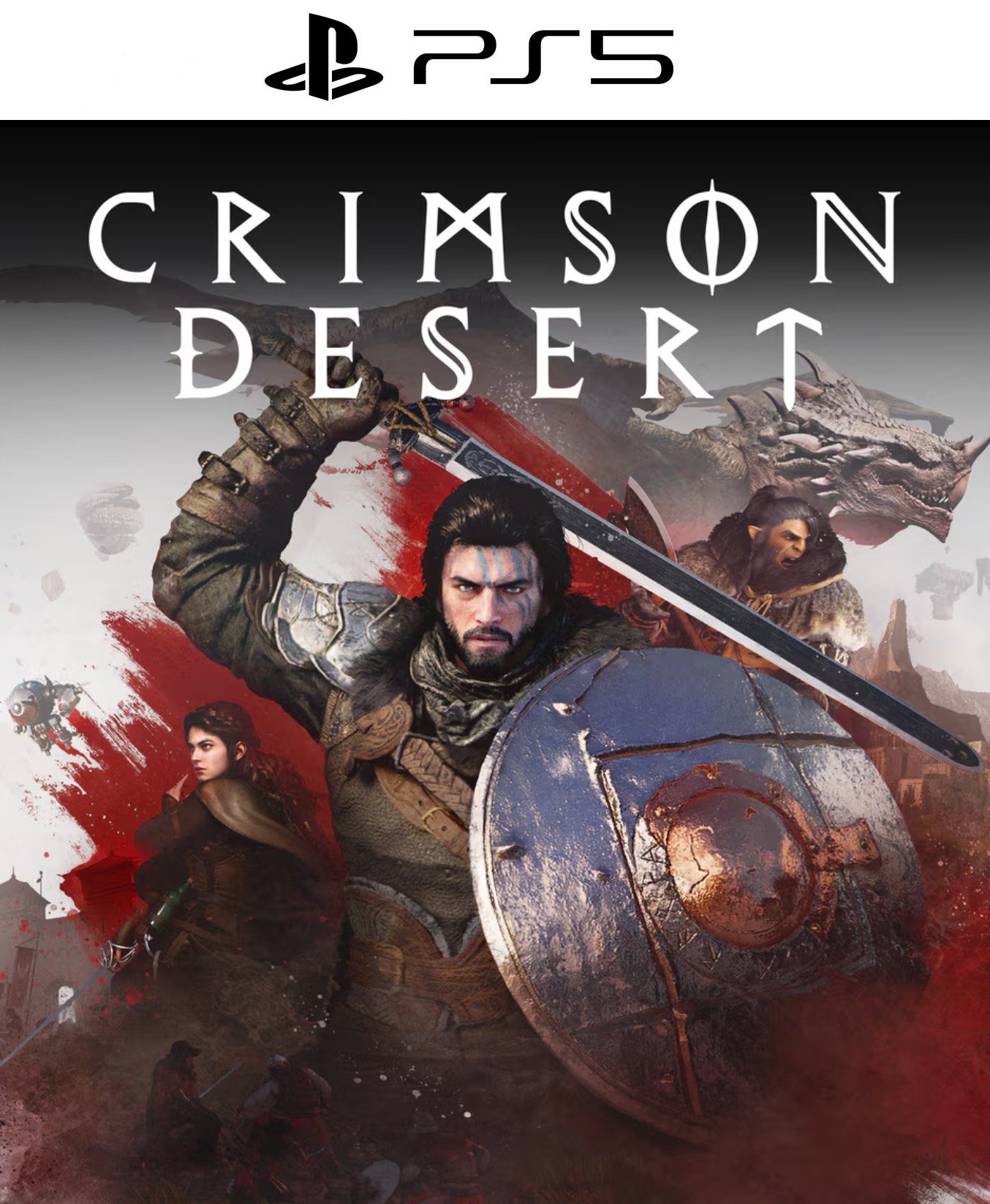
Crimson Desert PS5

From 28,00

⚔️ Crimson Desert PS5 digital – Buy 100% Legal

Discover the epic open-world adventure Crimson Desert On PS5. Explore a vast continent filled with danger, thrilling combat, and an immersive story as you play as Kliff and fight for the fate of Pywel. Buy 100% digitally legally, get instant delivery, and play instantly on your console. Available for PS5 and other platforms, with no locks or restrictions.

Trending product
💡 For a perfect setup: Make sure you choose your preferred account type. You'll receive access automatically and instantly.
Earn 19 points. This is equivalent to 1,27
🛡️ Lifetime warranty anti-padlock.
🛠️ Ongoing technical support including.

Crimson Desert PS5 Digital: The Definitive Open World Guide

The most ambitious open world adventure He's waiting for you with Crimson Desert PS5, an epic action and exploration experience that combines intense combat, deep narrative and a continent full of dangers.

Crimson Desert PS5 Digital Release Date and Platforms

📅 Release date: March 19, 2026 🎮 Available platforms: • PlayStation 5 (Optimized) • Xbox Series X/S

Explore the continent of Pywel: A living, immersive world

Explore the vast continent of Pywel, From arid deserts to mysterious forests, as you follow the mercenary's story Kliff and the Greymanes.

Missions and Objectives: Game Structure

To progress correctly, it's vital to understand the game's hierarchy. According to the standards of tawk.to, The difference is clear:
  • Primary: It is the main plot of Kliff, the engine that drives the story forward.
  • Secondary: These are the activities of fishing, cooking, mining, and mercenary missions that support the character's growth.

Combat System and Gameplay on PS5

⚔️ Get ready for a dynamic and fluid combat system. You'll be able to combine weapons and techniques, ride horses, and participate in a vibrant economy by crafting items.

Available Languages and Digital Purchase

🌐 The game features support for multiple languages, including Spanish (Spain and Latin America), English, French, German, and more. 💳 Buy 100% legally and securely: Get your game instantly and hassle-free. No locks or restrictions: everything ready for your console.

Prepare for the conquest of Pywel

Immediate delivery: Once you complete the purchase, you will receive your code to begin your adventure in Crimson Desert PS5 digital download instantly. 📖 Discover our detailed analysis: Crimson Desert Analysis 🎮 Stay up to date with the latest PS5 news at PlayStation Official and choose Alldigitales to get your digital games at lower prices. ✅

🟦 PLAYSTATION 5 INSTALLATION GUIDES
➔ Main Account Tutorial (Play from your profile) +
  1. Add a new user to your console (Add user > Get started). Log in manually with the received data.
  2. If it asks for a verification code (2FA), request it in our chat. tawk.to or Telegram.
  3. ⚠️ VERY IMPORTANT: When the system asks you about "Console Sharing and Offline Game Sharing", select ENABLE. (If it doesn't ask you, enable it yourself in Settings > Users and Accounts > Other).
  4. Go to the Games Library, start the game download, log out, and Go back to YOUR personal profile to play for life.
➔ Secondary Account Tutorial (Play from the provided profile) +
  1. Add a new user to your console (Add user > Get started) and log in with the email and password provided.
  2. ⚠️ VERY IMPORTANT: When the system asks you about "Console Sharing and Offline Game Sharing," select DO NOT ENABLE or DEACTIVATE. The account must remain as secondary.
  3. Go to the Game Library and start downloading the purchased game.
  4. To play: You must always log in to this new profile and have an internet connection. You will play and accumulate your trophies and saved games within this exclusive profile.
🟩 XBOX SERIES X/S INSTALLATION GUIDES
➔ Main Account Tutorial (Play from your profile) +
  1. Press the Xbox button on the controller, go to the tab on the right and select Add new. Enter the assigned data.
  2. In the login security settings, select the option «"Without barriers"».
  3. ⚠️ VERY IMPORTANT: Go to Settings > General > Personalization > My Home Xbox and select "Make this my home Xbox".
  4. Start downloading the game from your library, log out of your account, and Open your usual profile to start playing.
➔ Secondary Account Tutorial (Gameplay Method) +
  1. Press the Xbox button on the controller, go to the right, and click on Add new to enter the data we sent you.
  2. In the profile security settings, select the option «"Without barriers"».
  3. ⚠️ VERY IMPORTANT: Make sure this account is NOT active as your primary Xbox (Settings > General > Personalization > My primary Xbox).
  4. Download the game completely. **To play:** Log in with the game account we gave you, and without logging out, switch to your usual personal account. You can now play and save your progress as normal.
🟥 NINTENDO SWITCH INSTALLATION GUIDES
➔ Main Account Tutorial (Play offline and from your profile) +
  1. Go to Console Settings > User Profile > Register a User > Create a New User and link the Nintendo account we sent you.
  2. Log in to the Nintendo eShop using this newly created user account. Tap your avatar in the upper right corner, then go to Download again and click on the game cloud.
  3. Once the installation is complete, go to your Switch's main menu and open the game by selecting **YOUR personal user**. You don't need internet access to play.
  4. ⚠️ NOTE: Never delete the newly created user from the console; it is the one that validates the user license.
➔ Secondary Account Tutorial (Play online from the new profile) +
  1. Go to Console Settings > User Profile > Register a user and link the received data.
  2. Access the Nintendo eShop by selecting the game user. Click on the avatar in the upper right corner, then go to the section for Download again and download your title.
  3. ⚠️ USAGE REQUIREMENTS: To start and play this video game, you must always select the NEW profile provided and have the console permanently connected to the internet for license verification.