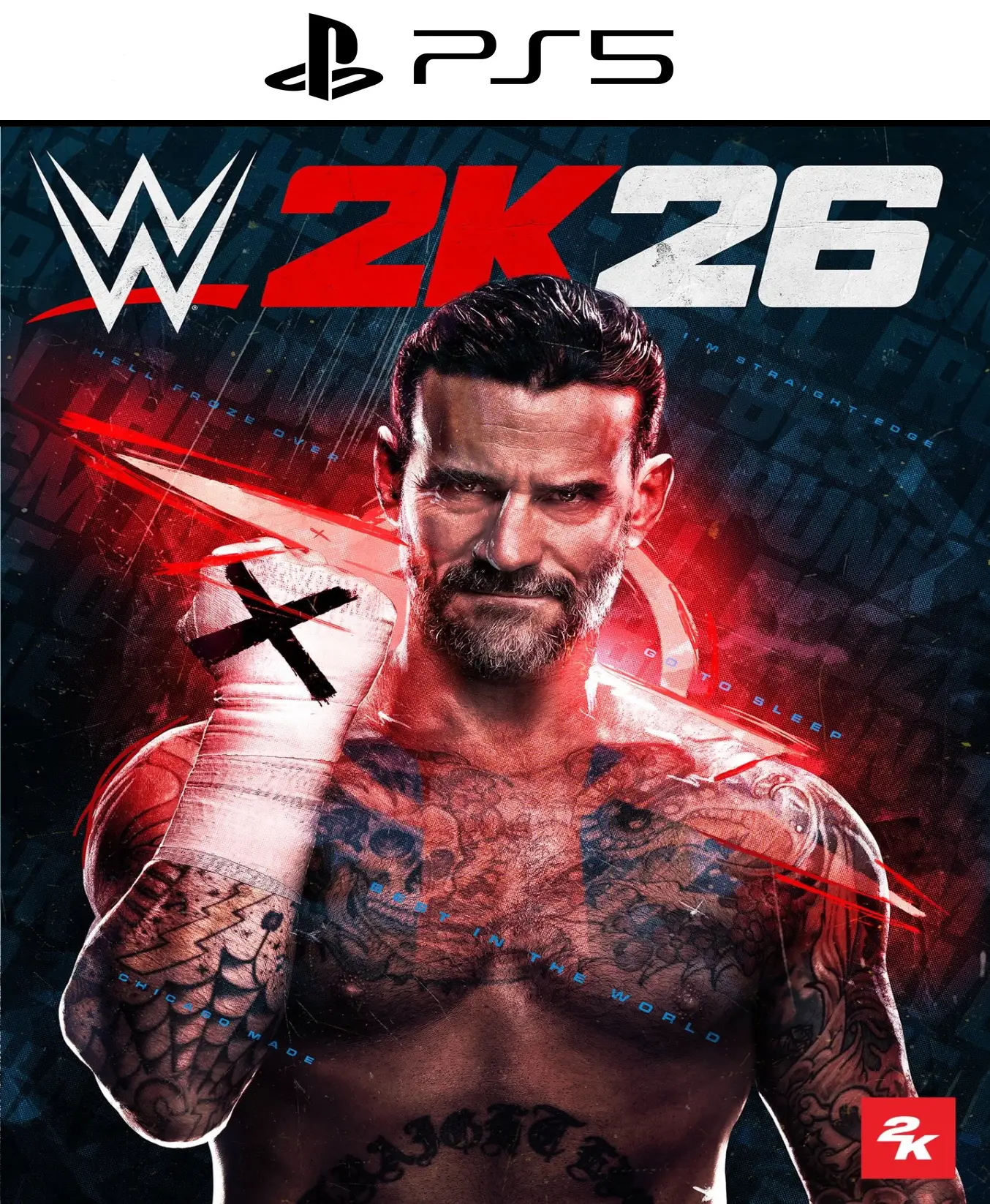
WWE 2K26 PS5

From 32,00

¡El ring te espera! Consigue tu código de WWE 2K26 Digital al mejor precio y vive la experiencia de lucha libre más realista hasta la fecha. Con el nuevo 2K Showcase de CM Punk, un roster de más de 400 superestrellas y gráficos de nueva generación, WWE 2K26 Digital es la compra obligatoria para todo fan del wrestling. Compra ahora en alldigitales y recibe tu juego con immediate delivery en tu bandeja de entrada. ¡Domina el Main Event hoy mismo!

Recommended
💡 For a perfect setup: Make sure you choose your preferred account type. You'll receive access automatically and instantly.
Earn 21 points. This is equivalent to 1,40
🛡️ Lifetime warranty anti-padlock.
🛠️ Ongoing technical support including.
SKU N/A Category Tags , ,
 

Comprar WWE 2K26 Digital: Fecha de lanzamiento y detalles del juego

  • 📅 Fecha de Lanzamiento Oficial: 13 de marzo de 2026
  • 🎮 Palabra Objetivo: WWE 2K26 Digital
  • Platforms: PS5, Xbox Series X|S, PC (Steam)
Domina el ring con WWE 2K26 Digital: La nueva era del Wrestling
Prepárate para la campana inicial con WWE 2K26 Digital, la entrega más completa y visualmente impactante en la historia de la franquicia. Gracias a su nuevo motor gráfico y físicas mejoradas, cada golpe, suplex y remate se siente más real que nunca. No pierdas la oportunidad de adquirir tu copia de WWE 2K26 Digital y unirte a la competición global desde el primer segundo.

🔥 Lo nuevo en WWE 2K26 Digital: CM Punk Showcase

Este año, el modo historia rinde homenaje al «Best in the World». Al comprar WWE 2K26 Digital, podrás revivir la legendaria carrera de CM Punk, desde sus inicios independientes hasta sus momentos más polémicos en el Main Event de WrestleMania. Desbloquea atuendos exclusivos, arenas históricas y contenido inédito mientras superas los desafíos de este modo cinematográfico.

🎮 Características Principales de WWE 2K26 Digital

  • Roster Infinito: Toma el control de más de 400 luchadores, incluyendo a Roman Reigns, Cody Rhodes y leyendas de la Era Attitude.
  • Modo MyRISE: Crea tu propio camino hacia la gloria. En WWE 2K26 Digital, tus decisiones fuera del ring afectan tu carrera y tus alianzas.
  • The Island: Un nuevo modo de conquista territorial donde las facciones luchan por el control total de la WWE.
  • Multijugador Sin Fisuras: Disfruta de combates online con servidores optimizados para una experiencia competitiva fluida.

💳 Compra de WWE 2K26 Digital 100% segura

En nuestra tienda garantizamos una transacción protegida y legal. Al elegir WWE 2K26 Digital, recibes un código original que puedes canjear directamente en tu cuenta de PlayStation, Xbox o Steam sin restricciones de región.

⚡ Entrega Inmediata y Soporte

Olvídate de las esperas. Tras finalizar tu pedido, el código de WWE 2K26 Digital llegará a tu correo electrónico al instante. Comienza la descarga y prepárate para el evento estelar. ¿Estás listo para convertirte en el próximo campeón? Get your hands on WWE 2K26 Digital al mejor precio y demuestra que eres el mejor del mundo. ✅ 📖 Lee nuestro análisis completo de WWE 2K26 Digital here y descubre por qué es el mejor juego de lucha de 2026.

 
🟦 PLAYSTATION 5 INSTALLATION GUIDES
➔ Main Account Tutorial (Play from your profile) +
  1. Add a new user to your console (Add user > Get started). Log in manually with the received data.
  2. If it asks for a verification code (2FA), request it in our chat. tawk.to or Telegram.
  3. ⚠️ VERY IMPORTANT: When the system asks you about "Console Sharing and Offline Game Sharing", select ENABLE. (If it doesn't ask you, enable it yourself in Settings > Users and Accounts > Other).
  4. Go to the Games Library, start the game download, log out, and Go back to YOUR personal profile to play for life.
➔ Secondary Account Tutorial (Play from the provided profile) +
  1. Add a new user to your console (Add user > Get started) and log in with the email and password provided.
  2. ⚠️ VERY IMPORTANT: When the system asks you about "Console Sharing and Offline Game Sharing," select DO NOT ENABLE or DEACTIVATE. The account must remain as secondary.
  3. Go to the Game Library and start downloading the purchased game.
  4. To play: You must always log in to this new profile and have an internet connection. You will play and accumulate your trophies and saved games within this exclusive profile.
🟩 XBOX SERIES X/S INSTALLATION GUIDES
➔ Main Account Tutorial (Play from your profile) +
  1. Press the Xbox button on the controller, go to the tab on the right and select Add new. Enter the assigned data.
  2. In the login security settings, select the option «"Without barriers"».
  3. ⚠️ VERY IMPORTANT: Go to Settings > General > Personalization > My Home Xbox and select "Make this my home Xbox".
  4. Start downloading the game from your library, log out of your account, and Open your usual profile to start playing.
➔ Secondary Account Tutorial (Gameplay Method) +
  1. Press the Xbox button on the controller, go to the right, and click on Add new to enter the data we sent you.
  2. In the profile security settings, select the option «"Without barriers"».
  3. ⚠️ VERY IMPORTANT: Make sure this account is NOT active as your primary Xbox (Settings > General > Personalization > My primary Xbox).
  4. Download the game completely. **To play:** Log in with the game account we gave you, and without logging out, switch to your usual personal account. You can now play and save your progress as normal.
🟥 NINTENDO SWITCH INSTALLATION GUIDES
➔ Main Account Tutorial (Play offline and from your profile) +
  1. Go to Console Settings > User Profile > Register a User > Create a New User and link the Nintendo account we sent you.
  2. Log in to the Nintendo eShop using this newly created user account. Tap your avatar in the upper right corner, then go to Download again and click on the game cloud.
  3. Once the installation is complete, go to your Switch's main menu and open the game by selecting **YOUR personal user**. You don't need internet access to play.
  4. ⚠️ NOTE: Never delete the newly created user from the console; it is the one that validates the user license.
➔ Secondary Account Tutorial (Play online from the new profile) +
  1. Go to Console Settings > User Profile > Register a user and link the received data.
  2. Access the Nintendo eShop by selecting the game user. Click on the avatar in the upper right corner, then go to the section for Download again and download your title.
  3. ⚠️ USAGE REQUIREMENTS: To start and play this video game, you must always select the NEW profile provided and have the console permanently connected to the internet for license verification.