From 22,00€
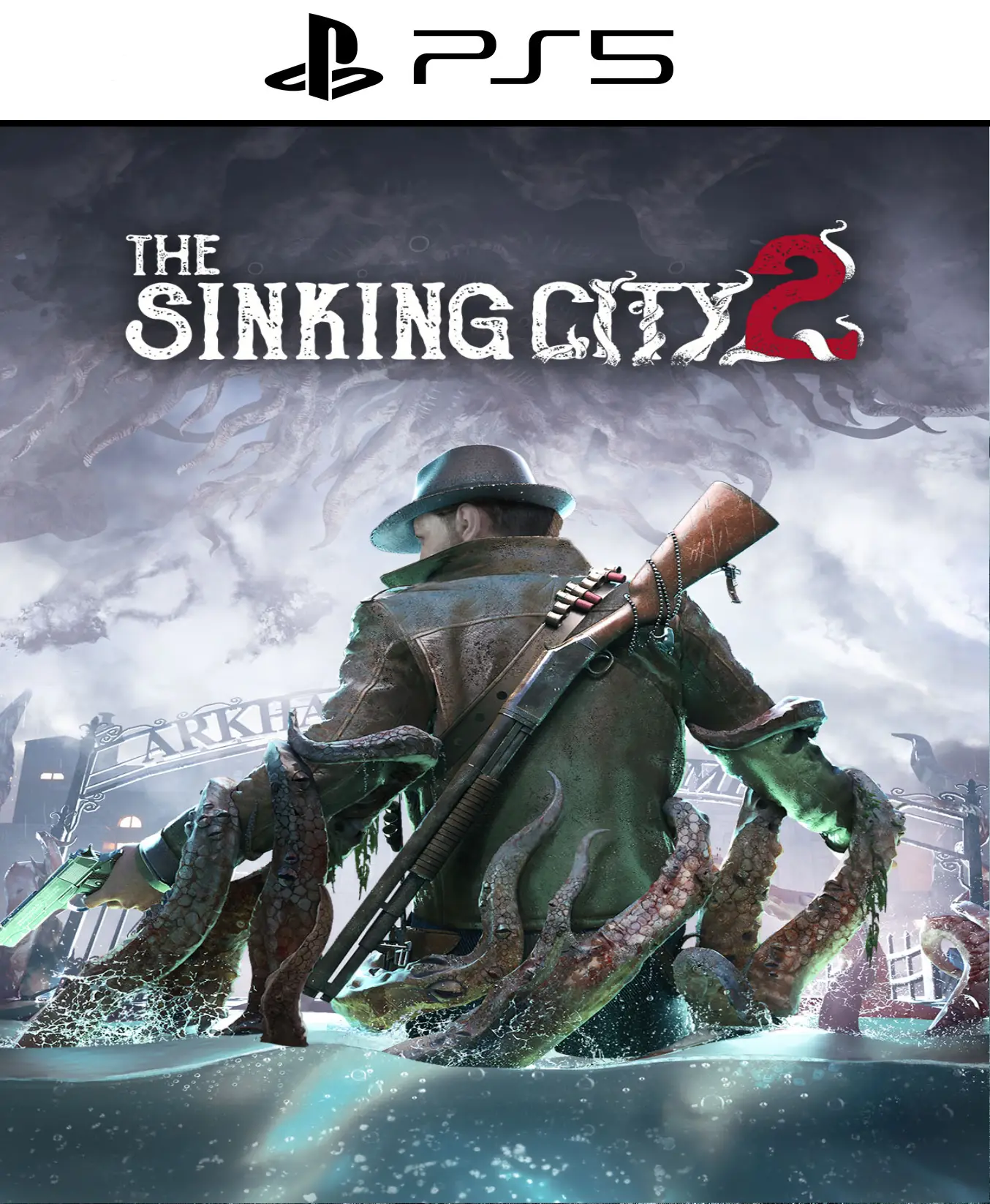
Return to the depths of the purest and most suffocating Lovecraftian horror! Get The Sinking City 2 PS5 Get the digital version and immerse yourself in a chilling survival horror adventure set in the decaying, submerged American city of Arkham during the 1920s. Developed on the impressive Unreal Engine 5, this title abandons the purely detective-based approach to focus on a visceral survival horror experience with oppressive combat, critical resource management, and a nightmarish atmosphere. Buy now and receive your digital access immediately in your email. Don't let the waters overwhelm your sanity!
Cosmic horror and psychological survival merge in a technically stunning work. The Sinking City 2 arrives at PS5 In digital format, immerse yourself in an urban environment flooded by cursed waters and teeming with ancient abominations that have risen from the abyss. This time, the exploration of labyrinthine flooded streets and ruined Victorian mansions is combined with a much more intense, dark, and challenging combat system. Every bullet counts, every dark corner hides a deadly danger, and the water level itself will alter the available paths, forcing you to constantly adapt to avoid perishing.
The dense fog of Arkham, the reflections of corrupted water on the walls, and the photorealism of the creatures from the myths come to life spectacularly at a stable 60 FPS with native 4K resolution and state-of-the-art ray tracing.
Platform: PlayStation 5
Format: Digital
Release date: August 18, 2026
Editor: Frogwares
Gender: Survival Horror / Action / Adventure / Cosmic Horror
Evolved Survival Horror Atmosphere: Unlike its predecessor, the focus is on constant tension and inventory management. Explore gloomy rooms with your flashlight, ration your ammunition, and decide when it's best to confront the horrors of the depths or when to flee through the city's flooded districts.
Organic Lovecraftian Research: The game retains the series' signature mystery, but in a completely optional way. More adventurous players can solve complex environmental puzzles and uncover hidden lore secrets to obtain unique digital rewards, better weapons, or discover alternative routes to avoid dangers.
Sensory Immersion with DualSense Controller: Feel the dampness and hostility of Arkham directly in your hands. Adaptive triggers offer realistic mechanical resistance when firing period firearms or lighting an old lighter. Haptic feedback dramatically recreates the splash of water underfoot, the pounding heartbeat of panic, and the sharp impact of enemy attacks.
Tempest 3D Terrifying Space Audio: Sound is key to your survival. The PS5's advanced 3D audio technology lets you pinpoint the creaking of floorboards on the upper floors, the flow of underground water, and the unsettling wails of monsters lurking behind you in the shadows of alleyways.
Instant Loading thanks to the High-Speed SSD: The transitions between exploration boats, labyrinthine interiors, and dreamlike planes of madness are seamless. The console's ultra-fast storage eliminates loading screens, ensuring that immersion in this psychological thriller is never broken.
The narrative background of The Sinking City 2 PS5 It masterfully expands upon the myths of H.P. Lovecraft. Every document recovered from the waters and every survivor in the city provides clues about the imminent awakening of the God of the Abyss. Your tactical decisions throughout the adventure and the secret areas you manage to uncover will directly influence the story's outcome, offering multiple endings and excellent replayability for fans of the horror genre.
The digital option is the cleanest, fastest, and most convenient way to expand your game library. Since it's permanently linked to your personal PlayStation Network profile, you can download and install the title directly whenever you want, without worrying about physical availability or shipping delays. Plus, it guarantees immediate access to all lighting optimization patches and performance updates from the very beginning.
💳 Buy 100% legally and securely Get your digital copy of The Sinking City 2 PS5 Shop with complete peace of mind on our platform. We guarantee fully secure transactions using advanced encryption systems and have a dedicated after-sales service to offer you a flawless shopping experience.
⚡ Immediate and Direct Delivery Forget the logistical delays. After payment confirmation, you'll instantly receive details and instructions to redeem your digital code directly in your email inbox. You'll be starting the download on your console within minutes.
🔥 The tide keeps rising, monsters emerge from the depths, and shadows devour the city. In The Sinking City 2 for PS5, water doesn't just drown the body, it corrupts the soul. Do you have the composure, the aim, and the mental fortitude to survive the worst of maritime nightmares?
📖 Check out our in-depth analysis, survival guides, and lore secrets for The Sinking City 2 here.
🎮 Check out our entire catalog of PlayStation and trust in our Shop to get your favorite digital games at the most competitive price on the market. ✅
Support Note: If you have any questions about the game installation process or require technical support with the digital format, our support team will assist you personally and exclusively through tawk.to.