
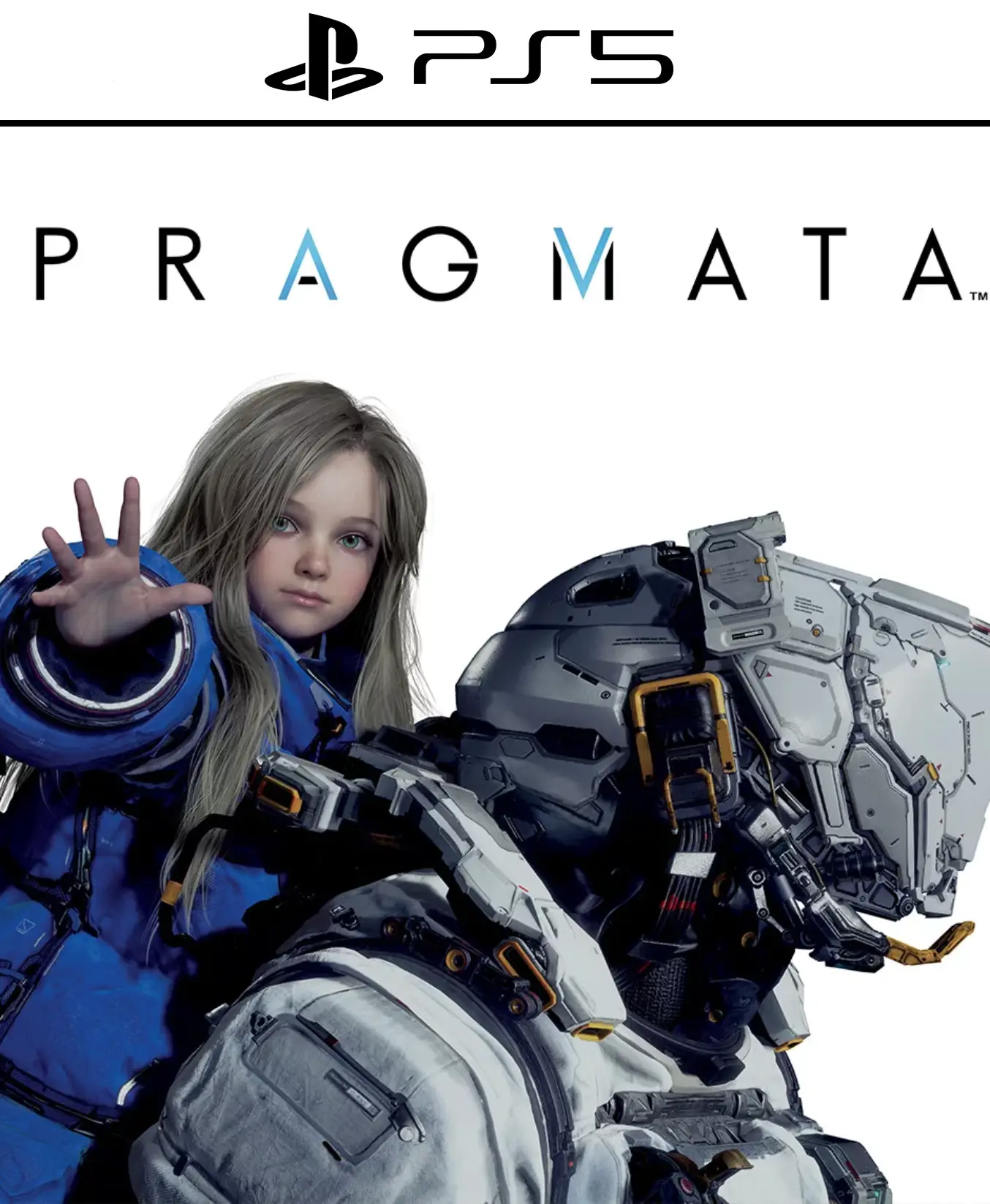
PRAGMATA PS5

From 26,00

«¡El espacio te espera! Compra Pragmata Digital al mejor precio y vive la nueva joya de ciencia ficción de Capcom. Con gráficos de vanguardia en la Luna y una historia cargada de misterio, Pragmata Digital es la experiencia técnica definitiva de 2026. ¡Hazte con tu código ahora y disfruta de immediate delivery

Trending product
💡 For a perfect setup: Make sure you choose your preferred account type. You'll receive access automatically and instantly.
Earn 18 points. This is equivalent to 1,20
🛡️ Lifetime warranty anti-padlock.
🛠️ Ongoing technical support including.
SKU N/A Category Tags , ,
   

Explora lo desconocido en la Luna con Pragmata Digital

Capcom presenta su nueva y ambiciosa IP: Pragmata Digital. Sumérgete en una aventura de ciencia ficción distópica ambientada en un futuro cercano donde la humanidad ha dejado su huella en la Luna. Con un apartado visual que exprime al máximo el trazado de rayos (Ray Tracing), Pragmata Digital ofrece una experiencia cinematográfica inmersiva que desafía las leyes de la física y la realidad.
  • 📅 Release Date: 17 de abril de 2026
  • 🎮 Platforms: PS5, Xbox Series X|S, PC (Steam)
  • 🚀 Format: Digital (Immediate Delivery)

👨‍🚀 Un viaje visualmente revolucionario

In Pragmata Digital, acompañarás a un misterioso astronauta y a una niña con habilidades especiales a través de entornos lunares detallados y estaciones espaciales abandonadas. La tecnología de nueva generación permite que cada partícula, reflejo y textura en Pragmata Digital se sienta increíblemente tangible, redefiniendo lo que esperamos de un juego de acción y aventura.

🌌 Características Clave de Pragmata Digital

  • Narrativa Enigmática: Descubre los secretos de una civilización tecnológica avanzada y el propósito de tu misión en el espacio.
  • Combate y Gadgets: Utiliza herramientas de alta tecnología y mecánicas de gravedad para superar obstáculos y amenazas desconocidas.
  • Optimización Next-Gen: Disfruta de tiempos de carga ultra rápidos y una resolución 4K nativa al adquirir tu copia de Pragmata Digital.
🔧 Personalización y Progresión

Mejora tu traje espacial y las habilidades de tu acompañante para adaptarte a las condiciones extremas de la superficie lunar. En Pragmata Digital, la preparación es la clave para sobrevivir al vacío del espacio. 🌐 Available languages: Inglés, Español (España y Latinoamérica), Japonés, Francés, Alemán.

💳 Buy 100% legally and securely

Get your code for Pragmata Digital de forma inmediata en nuestra tienda. Te garantizamos una activación sin restricciones regionales y soporte técnico prioritario para que disfrutes del juego desde el minuto uno.

⚡ Immediate Delivery

Buy now and receive access to Pragmata Digital directamente en tu correo electrónico. No esperes más para experimentar el futuro de los videojuegos de la mano de Capcom. 🔥 Equípate, cruza la atmósfera y descubre el misterio lunar. In Pragmata Digital, la frontera entre la Tierra y las estrellas ha desaparecido. ¿Estás listo para el despegue? 📖 Lee nuestro análisis profundo de Pragmata Digital here. 🎮 Descubre más novedades de PS5 y Xbox en alldigitales, tu tienda de confianza para juegos digitales al mejor precio. ✅
 
🟦 PLAYSTATION 5 INSTALLATION GUIDES
➔ Main Account Tutorial (Play from your profile) +
  1. Add a new user to your console (Add user > Get started). Log in manually with the received data.
  2. If it asks for a verification code (2FA), request it in our chat. tawk.to or Telegram.
  3. ⚠️ VERY IMPORTANT: When the system asks you about "Console Sharing and Offline Game Sharing", select ENABLE. (If it doesn't ask you, enable it yourself in Settings > Users and Accounts > Other).
  4. Go to the Games Library, start the game download, log out, and Go back to YOUR personal profile to play for life.
➔ Secondary Account Tutorial (Play from the provided profile) +
  1. Add a new user to your console (Add user > Get started) and log in with the email and password provided.
  2. ⚠️ VERY IMPORTANT: When the system asks you about "Console Sharing and Offline Game Sharing," select DO NOT ENABLE or DEACTIVATE. The account must remain as secondary.
  3. Go to the Game Library and start downloading the purchased game.
  4. To play: You must always log in to this new profile and have an internet connection. You will play and accumulate your trophies and saved games within this exclusive profile.
🟩 XBOX SERIES X/S INSTALLATION GUIDES
➔ Main Account Tutorial (Play from your profile) +
  1. Press the Xbox button on the controller, go to the tab on the right and select Add new. Enter the assigned data.
  2. In the login security settings, select the option «"Without barriers"».
  3. ⚠️ VERY IMPORTANT: Go to Settings > General > Personalization > My Home Xbox and select "Make this my home Xbox".
  4. Start downloading the game from your library, log out of your account, and Open your usual profile to start playing.
➔ Secondary Account Tutorial (Gameplay Method) +
  1. Press the Xbox button on the controller, go to the right, and click on Add new to enter the data we sent you.
  2. In the profile security settings, select the option «"Without barriers"».
  3. ⚠️ VERY IMPORTANT: Make sure this account is NOT active as your primary Xbox (Settings > General > Personalization > My primary Xbox).
  4. Download the game completely. **To play:** Log in with the game account we gave you, and without logging out, switch to your usual personal account. You can now play and save your progress as normal.
🟥 NINTENDO SWITCH INSTALLATION GUIDES
➔ Main Account Tutorial (Play offline and from your profile) +
  1. Go to Console Settings > User Profile > Register a User > Create a New User and link the Nintendo account we sent you.
  2. Log in to the Nintendo eShop using this newly created user account. Tap your avatar in the upper right corner, then go to Download again and click on the game cloud.
  3. Once the installation is complete, go to your Switch's main menu and open the game by selecting **YOUR personal user**. You don't need internet access to play.
  4. ⚠️ NOTE: Never delete the newly created user from the console; it is the one that validates the user license.
➔ Secondary Account Tutorial (Play online from the new profile) +
  1. Go to Console Settings > User Profile > Register a user and link the received data.
  2. Access the Nintendo eShop by selecting the game user. Click on the avatar in the upper right corner, then go to the section for Download again and download your title.
  3. ⚠️ USAGE REQUIREMENTS: To start and play this video game, you must always select the NEW profile provided and have the console permanently connected to the internet for license verification.