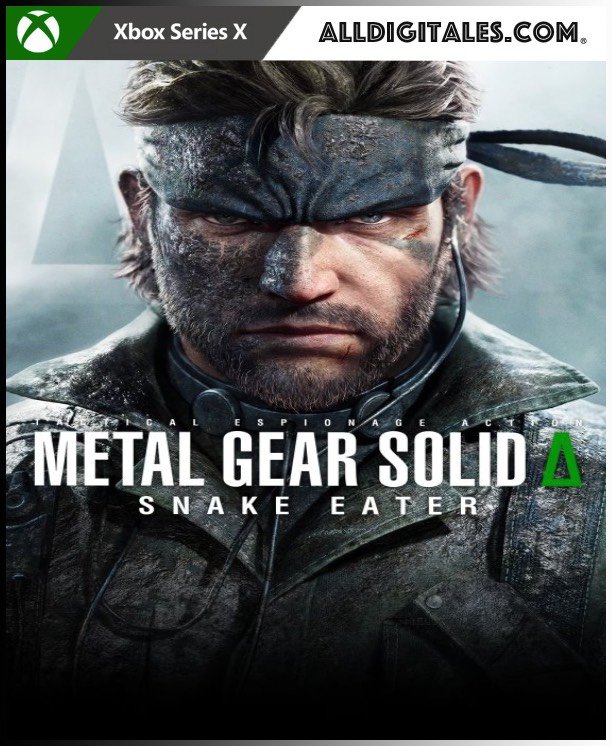
Metal Gear Solid Delta: Snake Eater XBOX SERIES

From 42,00

  • Easy setup: You'll receive an email and password and add a new account to Xbox Series X|S.
  • Completely legal.
  • Voice: Multi
  • Screen languages: Multi
  • Size: ?GB.
  • Optional in-game purchases
  • Release Date: 28-08-2025
  • Completely legal
  • Fast delivery within 24 hours.

Recommended
💡 For a perfect setup: Make sure you choose your preferred account type. You'll receive access automatically and instantly.
Earn 21 points. This is equivalent to 1,40
🛡️ Lifetime warranty anti-padlock.
🛠️ Ongoing technical support including.
SKU N/A Category Tag
Discover the true story of the military agent Snake
Buys Metal Gear Solid Delta: Snake Eater Day One Edition for the PS5 console, a Action-stealth game What does the history reveal about the origin of the iconic Military agent Snake and begins to unveil the plot of the legendary METAL GEAR series. Metal Gear Solid Delta combines sounds, immersive stealth action and graphics never before seen with a captivating storyline that will allow players to return to the world of METAL GEAR. Rival nations are secretly creating weapons that could endanger the future of humanity. Deep in the jungle, an elite soldier must combine his stealth and survival capabilities to infiltrate enemy territory and stop a weapon of mass destruction to prevent the biggest all-out war ever seen from being unleashed. Era: The 1960s, battle of ideologies Relive history as the Cold War and the geopolitical landscape change. Game: Survival, Battle of Instincts Outmaneuver your enemies with camouflage, melee combat, stealth, interrogation, climbing, hunting, and wound treatment. Environment: The Jungle, reptile battle Face an environment where you can use traps to hunt your enemies and prey, threats hide in the shadows, and noises alert predators. Languages: Voices: English, Japanese Subtitles Spanish, English, French, Italian, German, Brazilian Portuguese, Polish, Japanese, Simplified Chinese, Traditional Chinese, and Korean.

🟦 PLAYSTATION 5 INSTALLATION GUIDES
➔ Main Account Tutorial (Play from your profile) +
  1. Add a new user to your console (Add user > Get started). Log in manually with the received data.
  2. If it asks for a verification code (2FA), request it in our chat. tawk.to or Telegram.
  3. ⚠️ VERY IMPORTANT: When the system asks you about "Console Sharing and Offline Game Sharing", select ENABLE. (If it doesn't ask you, enable it yourself in Settings > Users and Accounts > Other).
  4. Go to the Games Library, start the game download, log out, and Go back to YOUR personal profile to play for life.
➔ Secondary Account Tutorial (Play from the provided profile) +
  1. Add a new user to your console (Add user > Get started) and log in with the email and password provided.
  2. ⚠️ VERY IMPORTANT: When the system asks you about "Console Sharing and Offline Game Sharing," select DO NOT ENABLE or DEACTIVATE. The account must remain as secondary.
  3. Go to the Game Library and start downloading the purchased game.
  4. To play: You must always log in to this new profile and have an internet connection. You will play and accumulate your trophies and saved games within this exclusive profile.
🟩 XBOX SERIES X/S INSTALLATION GUIDES
➔ Main Account Tutorial (Play from your profile) +
  1. Press the Xbox button on the controller, go to the tab on the right and select Add new. Enter the assigned data.
  2. In the login security settings, select the option «"Without barriers"».
  3. ⚠️ VERY IMPORTANT: Go to Settings > General > Personalization > My Home Xbox and select "Make this my home Xbox".
  4. Start downloading the game from your library, log out of your account, and Open your usual profile to start playing.
➔ Secondary Account Tutorial (Gameplay Method) +
  1. Press the Xbox button on the controller, go to the right, and click on Add new to enter the data we sent you.
  2. In the profile security settings, select the option «"Without barriers"».
  3. ⚠️ VERY IMPORTANT: Make sure this account is NOT active as your primary Xbox (Settings > General > Personalization > My primary Xbox).
  4. Download the game completely. **To play:** Log in with the game account we gave you, and without logging out, switch to your usual personal account. You can now play and save your progress as normal.
🟥 NINTENDO SWITCH INSTALLATION GUIDES
➔ Main Account Tutorial (Play offline and from your profile) +
  1. Go to Console Settings > User Profile > Register a User > Create a New User and link the Nintendo account we sent you.
  2. Log in to the Nintendo eShop using this newly created user account. Tap your avatar in the upper right corner, then go to Download again and click on the game cloud.
  3. Once the installation is complete, go to your Switch's main menu and open the game by selecting **YOUR personal user**. You don't need internet access to play.
  4. ⚠️ NOTE: Never delete the newly created user from the console; it is the one that validates the user license.
➔ Secondary Account Tutorial (Play online from the new profile) +
  1. Go to Console Settings > User Profile > Register a user and link the received data.
  2. Access the Nintendo eShop by selecting the game user. Click on the avatar in the upper right corner, then go to the section for Download again and download your title.
  3. ⚠️ USAGE REQUIREMENTS: To start and play this video game, you must always select the NEW profile provided and have the console permanently connected to the internet for license verification.