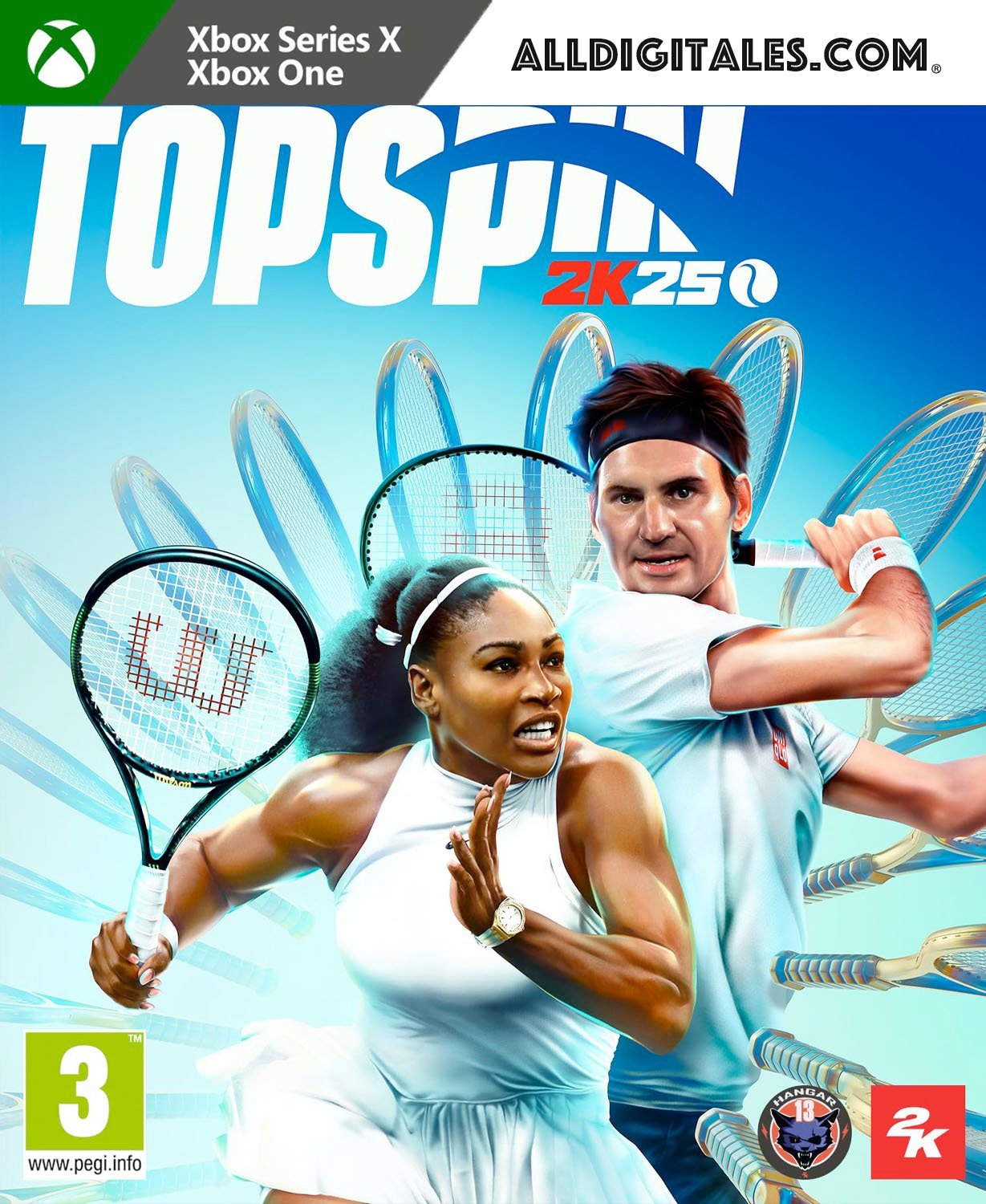
TopSpin 2K25 Xbox One & Series S/X

From 40,00

  • Digital version of the game for Xbox One & Series.
  • It's not a code.
  • It's very simple: You will receive an email and password, you will add the profile on Xbox, once the game has been downloaded and installed, You can play from your personal profile.
  • Completely legal
  • Release Date: 26-04-2024
  • Fast Delivery within 24 hours of launch.

💡 Popular among gamers
💡 For a perfect setup: Make sure you choose your preferred account type. You'll receive access automatically and instantly.
Earn 20 points. This is equivalent to 1,33
🛡️ Lifetime warranty anti-padlock.
🛠️ Ongoing technical support including.
SKU N/A Category Tag
Enjoy the highest level of competition in professional tennis
Buys TopSpin 2K25 for Xbox, return to the tennis courts playing with a cast of the best professionals in competitive modes for single player and multiplayer, the four historic Grand Slams, iconic tracks and legends and stars emerging tennis players. This edition includes (only in the first units, limited units):
  • Under the Lights Package with alternate outfits from Serena Williams and Roger Federer, Wilson Sunset Package and Night Tournaments.
Win the Grand Slam career Travel the world as a promising professional, take on the biggest names in tennis and take to the Centre Court at Wimbledon, Roland-Garros, the US Open and the Australian Open in your quest to become a Grand Slam Champion in MyCAREER. Compete on iconic tracks Visit some of the most vibrant courts on the tennis circuit in TopSpin 2K25. From the four Grand Slam® tournaments to international venues like Indian Wells, La Caja Mágica, Pala Alpitour, Foro Itálico, and many more. Tennis legends and rising stars Play as tennis legends Roger Federer and Serena Williams, or achieve great success like Carlos Alcaraz, Iga Swiatek, Frances Tiafoe, Andre Agassi, and others. Choose from over 25 pros to play as and unleash their explosive power and cunning finesse against other players locally or online. Master the online dance floor Test the mettle of your MyPLAYER and prove your tennis prowess on the World Tour or enter the 2K Tour as a pro and challenge players from around the world with cross-play compatibility. Train with John McEnroe Learn to play like a legend with John McEnroe at the TopSpin Academy, from powerful serves to gorgeous drop shots. Master advanced controls as you progress through a series of refinement tests and challenges to gain an edge on every surface. Personalize your MyPLAYER Create a MyPLAYER tailored to your playing style and define your look on the court! With a wide range of customization options, you can fine-tune your attributes and earn new coaches, accessories, and gear from adidas, HEAD, Lacoste, New Balance, Nike, Wilson, and many more.

🟦 PLAYSTATION 5 INSTALLATION GUIDES
➔ Main Account Tutorial (Play from your profile) +
  1. Add a new user to your console (Add user > Get started). Log in manually with the received data.
  2. If it asks for a verification code (2FA), request it in our chat. tawk.to or Telegram.
  3. ⚠️ VERY IMPORTANT: When the system asks you about "Console Sharing and Offline Game Sharing", select ENABLE. (If it doesn't ask you, enable it yourself in Settings > Users and Accounts > Other).
  4. Go to the Games Library, start the game download, log out, and Go back to YOUR personal profile to play for life.
➔ Secondary Account Tutorial (Play from the provided profile) +
  1. Add a new user to your console (Add user > Get started) and log in with the email and password provided.
  2. ⚠️ VERY IMPORTANT: When the system asks you about "Console Sharing and Offline Game Sharing," select DO NOT ENABLE or DEACTIVATE. The account must remain as secondary.
  3. Go to the Game Library and start downloading the purchased game.
  4. To play: You must always log in to this new profile and have an internet connection. You will play and accumulate your trophies and saved games within this exclusive profile.
🟩 XBOX SERIES X/S INSTALLATION GUIDES
➔ Main Account Tutorial (Play from your profile) +
  1. Press the Xbox button on the controller, go to the tab on the right and select Add new. Enter the assigned data.
  2. In the login security settings, select the option «"Without barriers"».
  3. ⚠️ VERY IMPORTANT: Go to Settings > General > Personalization > My Home Xbox and select "Make this my home Xbox".
  4. Start downloading the game from your library, log out of your account, and Open your usual profile to start playing.
➔ Secondary Account Tutorial (Gameplay Method) +
  1. Press the Xbox button on the controller, go to the right, and click on Add new to enter the data we sent you.
  2. In the profile security settings, select the option «"Without barriers"».
  3. ⚠️ VERY IMPORTANT: Make sure this account is NOT active as your primary Xbox (Settings > General > Personalization > My primary Xbox).
  4. Download the game completely. **To play:** Log in with the game account we gave you, and without logging out, switch to your usual personal account. You can now play and save your progress as normal.
🟥 NINTENDO SWITCH INSTALLATION GUIDES
➔ Main Account Tutorial (Play offline and from your profile) +
  1. Go to Console Settings > User Profile > Register a User > Create a New User and link the Nintendo account we sent you.
  2. Log in to the Nintendo eShop using this newly created user account. Tap your avatar in the upper right corner, then go to Download again and click on the game cloud.
  3. Once the installation is complete, go to your Switch's main menu and open the game by selecting **YOUR personal user**. You don't need internet access to play.
  4. ⚠️ NOTE: Never delete the newly created user from the console; it is the one that validates the user license.
➔ Secondary Account Tutorial (Play online from the new profile) +
  1. Go to Console Settings > User Profile > Register a user and link the received data.
  2. Access the Nintendo eShop by selecting the game user. Click on the avatar in the upper right corner, then go to the section for Download again and download your title.
  3. ⚠️ USAGE REQUIREMENTS: To start and play this video game, you must always select the NEW profile provided and have the console permanently connected to the internet for license verification.