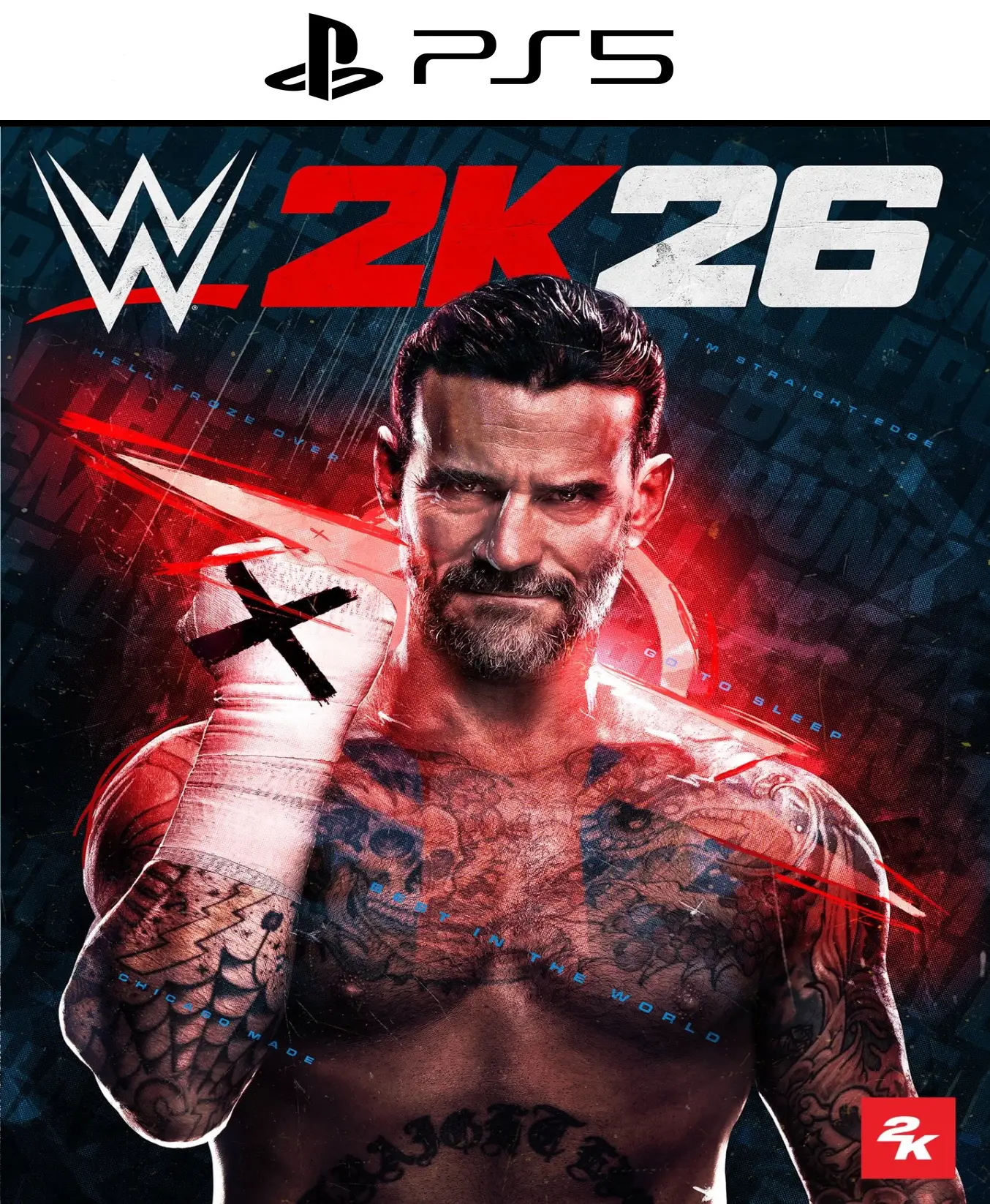
WWE 2K26 PS5

From 32,00

The ring awaits! Get your code WWE 2K26 Digital Get the best price and experience the most realistic wrestling experience to date. Featuring the new CM Punk 2K Showcase, a roster of over 400 superstars, and next-generation graphics, WWE 2K26 Digital It's a must-buy for every wrestling fan. Buy now at alldigitales and receive your game with immediate delivery in your inbox. Dominate the Main Event today!

Recommended
💡 For a perfect setup: Make sure you choose your preferred account type. You'll receive access automatically and instantly.
Earn 21 points. This is equivalent to 1,40
🛡️ Lifetime warranty anti-padlock.
🛠️ Ongoing technical support including.
SKU N/A Category Tags , ,
 

Buy WWE 2K26 Digital: Release Date and Game Details

  • 📅 Official Release Date: March 13, 2026
  • 🎮 Target Word: WWE 2K26 Digital
  • Platforms: PS5, Xbox Series X|S, PC (Steam)
Dominate the ring with WWE 2K26 Digital: The New Era of Wrestling
Get ready for the opening bell with WWE 2K26 Digital, The most complete and visually stunning installment in the franchise's history. Thanks to its new graphics engine and improved physics, every strike, suplex, and finisher feels more realistic than ever. Don't miss the opportunity to get your copy of WWE 2K26 Digital and join the global competition from the very first second.

🔥 New in WWE 2K26 Digital: CM Punk Showcase

This year, the story mode pays homage to the "Best in the World". When you buy WWE 2K26 Digital, you will be able to relive the legendary race of CM Punk, From its independent beginnings to its most controversial moments in the WrestleMania Main Event, unlock exclusive outfits, historic arenas, and never-before-seen content as you overcome the challenges of this cinematic mode.

🎮 Main Features of WWE 2K26 Digital

  • Infinite Roster: Take control of over 400 wrestlers, including Roman Reigns, Cody Rhodes and legends from the Attitude Era.
  • MyRISE Mode: Create your own path to glory. WWE 2K26 Digital, Your decisions outside the ring affect your career and your alliances.
  • The Island: A new mode of territorial conquest where factions fight for total control of the WWE.
  • Seamless Multiplayer: Enjoy online battles with servers optimized for a smooth competitive experience.

💳 Secure purchase of WWE 2K26 Digital 100%

In our store, we guarantee a secure and legal transaction. By choosing WWE 2K26 Digital, You receive an original code that you can redeem directly on your PlayStation, Xbox or Steam account without region restrictions.

⚡ Immediate Delivery and Support

Forget about waiting. After completing your order, the code will be sent to you. WWE 2K26 Digital It will arrive in your email instantly. Start the download and get ready for the stellar event. Are you ready to become the next champion? Get your hands on WWE 2K26 Digital at the best price and prove you're the best in the world. ✅ 📖 Read our full review of WWE 2K26 Digital here and discover why it's the best fighting game of 2026.

 
🟦 PLAYSTATION 5 INSTALLATION GUIDES
➔ Main Account Tutorial (Play from your profile) +
  1. Add a new user to your console (Add user > Get started). Log in manually with the received data.
  2. If it asks for a verification code (2FA), request it in our chat. tawk.to or Telegram.
  3. ⚠️ VERY IMPORTANT: When the system asks you about "Console Sharing and Offline Game Sharing", select ENABLE. (If it doesn't ask you, enable it yourself in Settings > Users and Accounts > Other).
  4. Go to the Games Library, start the game download, log out, and Go back to YOUR personal profile to play for life.
➔ Secondary Account Tutorial (Play from the provided profile) +
  1. Add a new user to your console (Add user > Get started) and log in with the email and password provided.
  2. ⚠️ VERY IMPORTANT: When the system asks you about "Console Sharing and Offline Game Sharing," select DO NOT ENABLE or DEACTIVATE. The account must remain as secondary.
  3. Go to the Game Library and start downloading the purchased game.
  4. To play: You must always log in to this new profile and have an internet connection. You will play and accumulate your trophies and saved games within this exclusive profile.
🟩 XBOX SERIES X/S INSTALLATION GUIDES
➔ Main Account Tutorial (Play from your profile) +
  1. Press the Xbox button on the controller, go to the tab on the right and select Add new. Enter the assigned data.
  2. In the login security settings, select the option «"Without barriers"».
  3. ⚠️ VERY IMPORTANT: Go to Settings > General > Personalization > My Home Xbox and select "Make this my home Xbox".
  4. Start downloading the game from your library, log out of your account, and Open your usual profile to start playing.
➔ Secondary Account Tutorial (Gameplay Method) +
  1. Press the Xbox button on the controller, go to the right, and click on Add new to enter the data we sent you.
  2. In the profile security settings, select the option «"Without barriers"».
  3. ⚠️ VERY IMPORTANT: Make sure this account is NOT active as your primary Xbox (Settings > General > Personalization > My primary Xbox).
  4. Download the game completely. **To play:** Log in with the game account we gave you, and without logging out, switch to your usual personal account. You can now play and save your progress as normal.
🟥 NINTENDO SWITCH INSTALLATION GUIDES
➔ Main Account Tutorial (Play offline and from your profile) +
  1. Go to Console Settings > User Profile > Register a User > Create a New User and link the Nintendo account we sent you.
  2. Log in to the Nintendo eShop using this newly created user account. Tap your avatar in the upper right corner, then go to Download again and click on the game cloud.
  3. Once the installation is complete, go to your Switch's main menu and open the game by selecting **YOUR personal user**. You don't need internet access to play.
  4. ⚠️ NOTE: Never delete the newly created user from the console; it is the one that validates the user license.
➔ Secondary Account Tutorial (Play online from the new profile) +
  1. Go to Console Settings > User Profile > Register a user and link the received data.
  2. Access the Nintendo eShop by selecting the game user. Click on the avatar in the upper right corner, then go to the section for Download again and download your title.
  3. ⚠️ USAGE REQUIREMENTS: To start and play this video game, you must always select the NEW profile provided and have the console permanently connected to the internet for license verification.